Use workstreams and required skills
Last updated August 28, 2026
Workstreams and skills answer different planning questions. A workstream defines productive work with its own demand. A required skill defines which people qualify to cover that demand.
Choose a workstream or a skill
- Use a workstream when the work needs its own required value, forecast, or coverage gap.
- Use a required skill when everyone who counts toward coverage must have a qualification or minimum level.
Example: use a workstream for 2 people who must handle French calls. Add French B2 as a required skill when every person who covers those calls must have that level.
Add a workstream
- Select Add staffing need and then select Workstream.
- Select the workstream.
- Select Counts toward and choose its parent activity or role. A workstream cannot stand alone.
- Select Create.
- Open Details and set Shared or Dedicated, the source, the required value, and the time range.
Add required skills
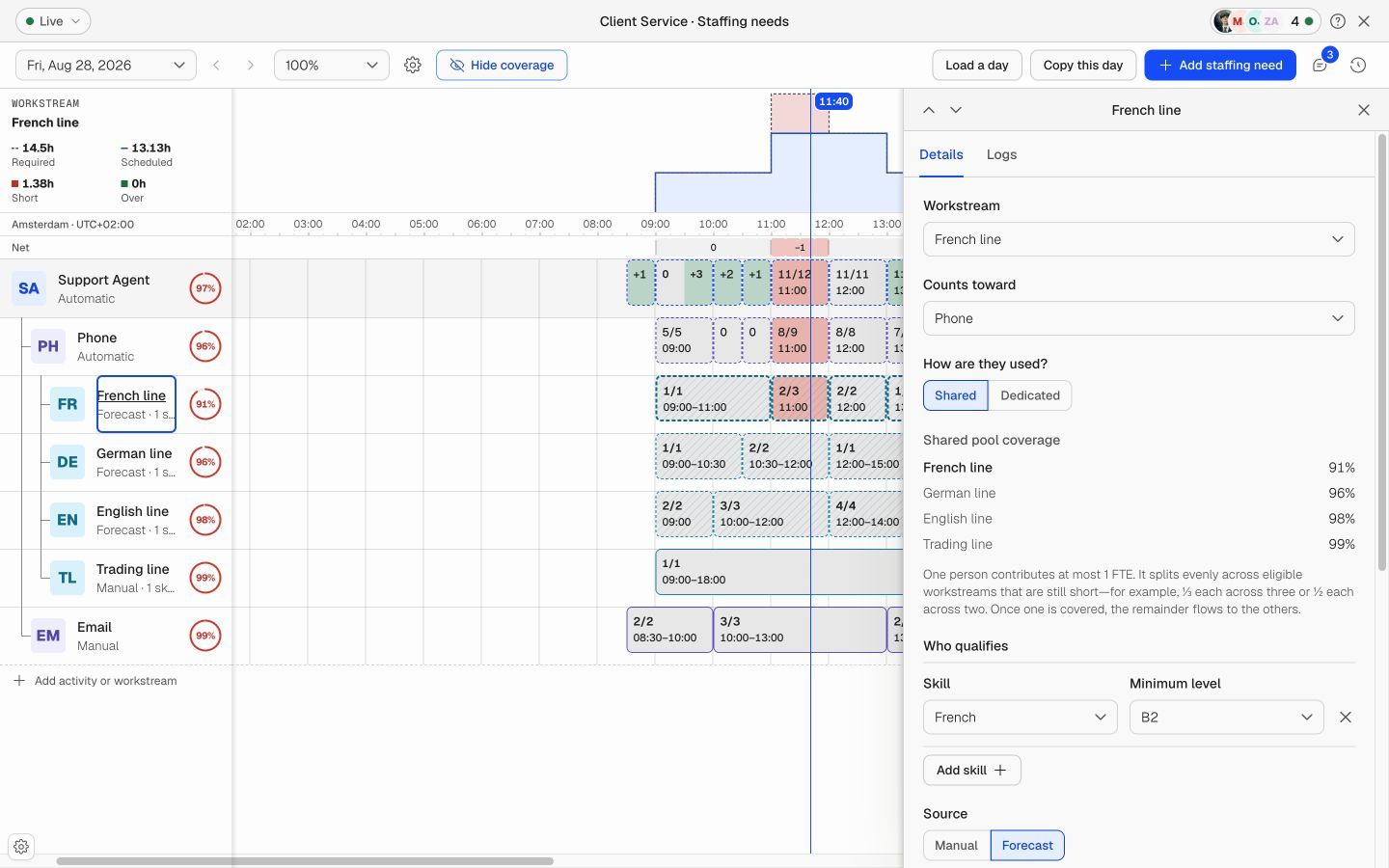
- Select the role, activity, or workstream.
- Open Details and go to Who qualifies.
- Add a required skill and select a minimum level when the skill uses levels.
- Save the requirement. Only scheduled people who meet these rules count toward its coverage.
A skill adds no FTE demand. It changes who can cover the demand.
Choose Shared or Dedicated
- Shared: Eligible capacity can cover more than one workstream where the planning rules allow it.
- Dedicated: Capacity is reserved for this workstream and does not cover another workstream at the same time.
Shared and Dedicated apply only to workstreams.
Understand parent demand
- If a parent requires 10 FTE and its workstreams total 8 FTE, the effective parent demand stays at 10 FTE.
- If a parent requires 10 FTE and three workstreams total 12 FTE, the effective parent demand becomes 12 FTE.
- Required skills never change the parent total.