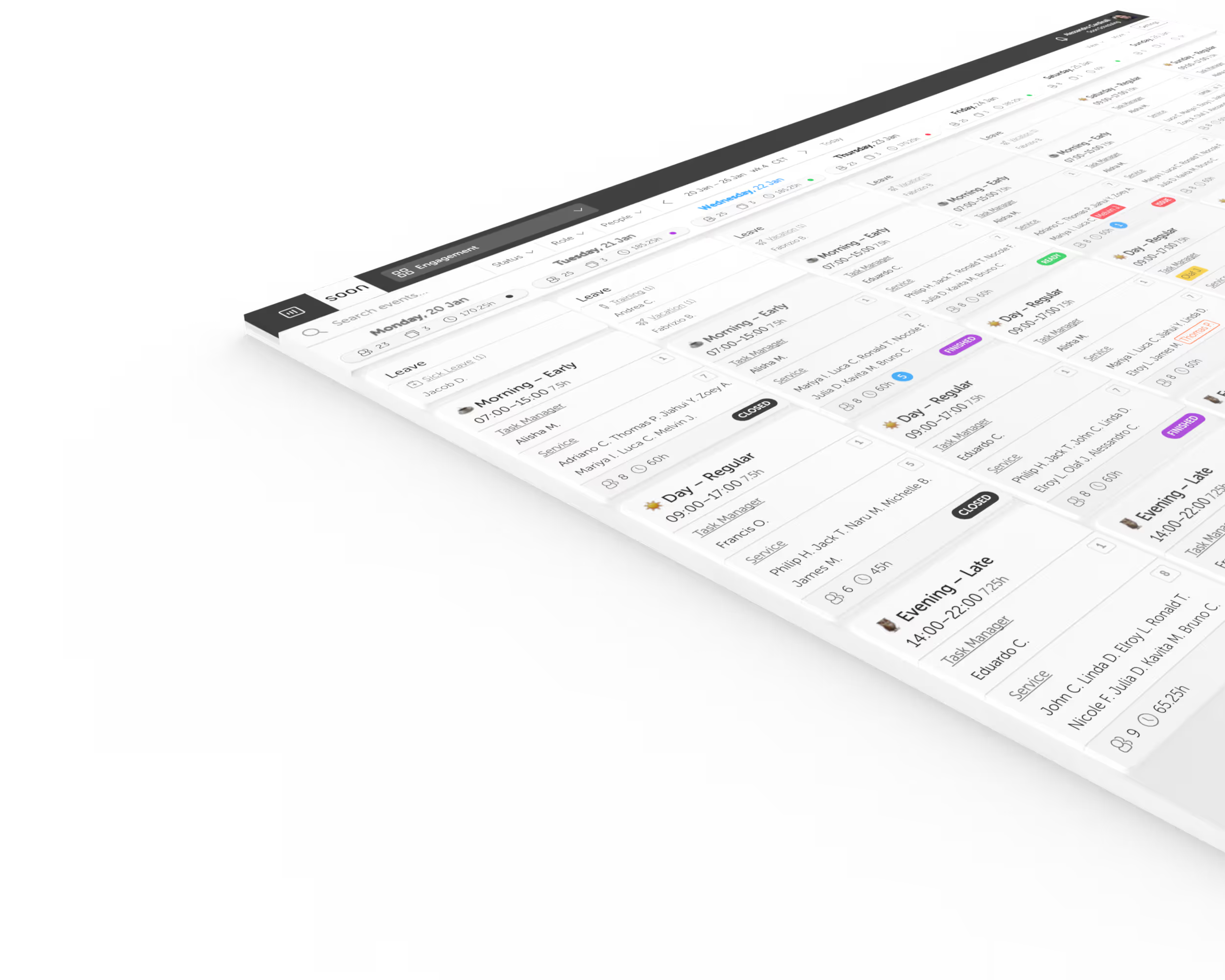
Step 1
Backtest models on your history
Soon uses rolling-origin backtests to compare forecasting models against your own historical data. A blended result is used only when it performs better out of sample.
Forecast calls, chats, tickets, tasks, or other workload in 15-minute, hourly, and daily intervals. Soon turns expected demand into staffing requirements and schedules, without spreadsheet maintenance or a heavyweight WFM setup.
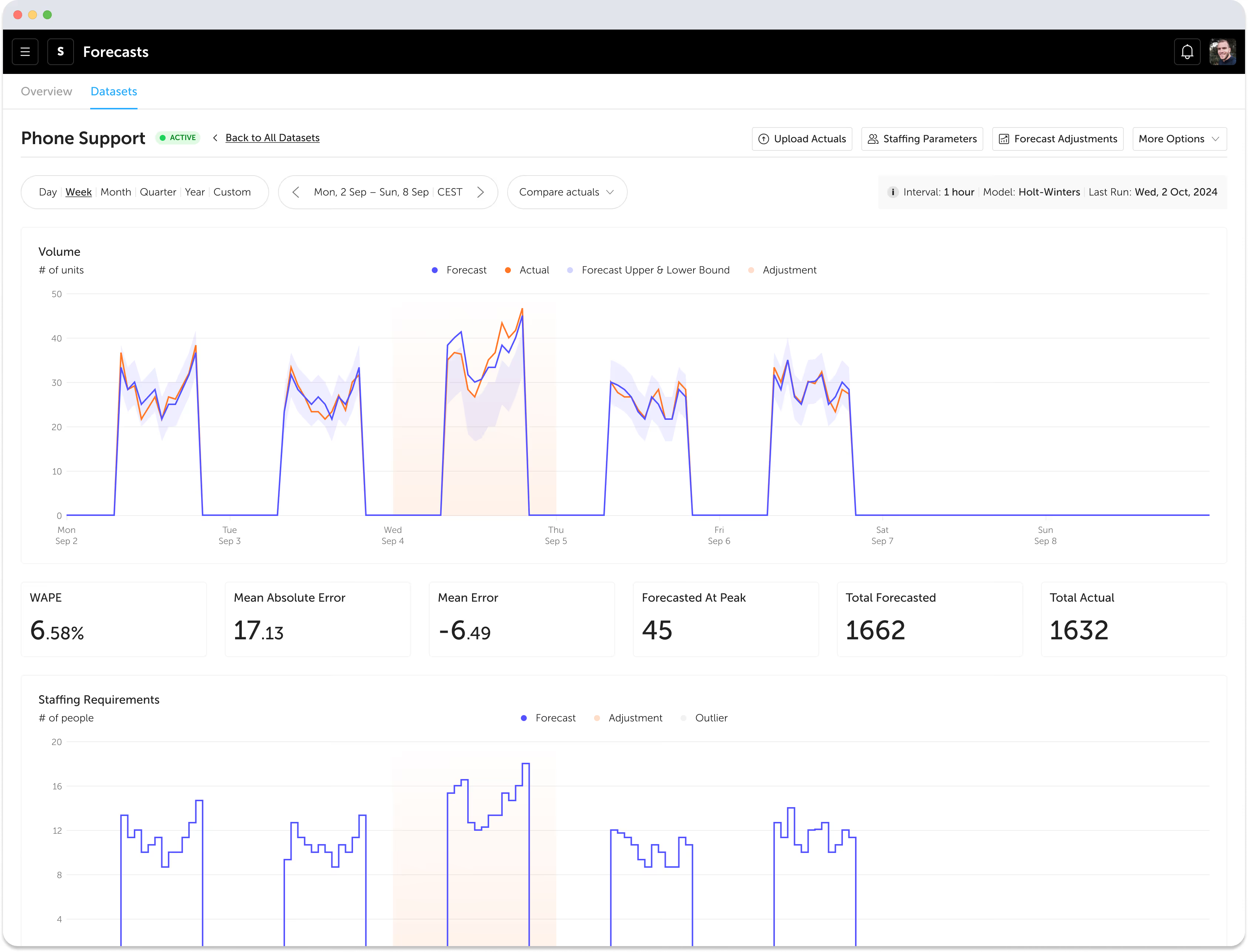
Measured on real traffic
Up to 46% lower forecast error
In live comparisons on real customer traffic, Soon produced up to 46% lower forecast error than the industry-standard N-week average. The result is a lead-matched comparison, not an absolute accuracy promise.
Forecasting should help you make better staffing decisions, not add another layer of manual work. Soon brings forecasting, staffing logic, and scheduling together in one workflow. Review the result in Staffing Requirements, or use the staffing forecast guide to build the process. Smaller teams can also use the small-business capacity planning guide.
Connect your historical data and let Soon automatically generate continuous forecasts
Bring your demand data into one place and generate a forecast your team can actually use. Soon gives you a reliable baseline for planning capacity across channels, queues, and time horizons.
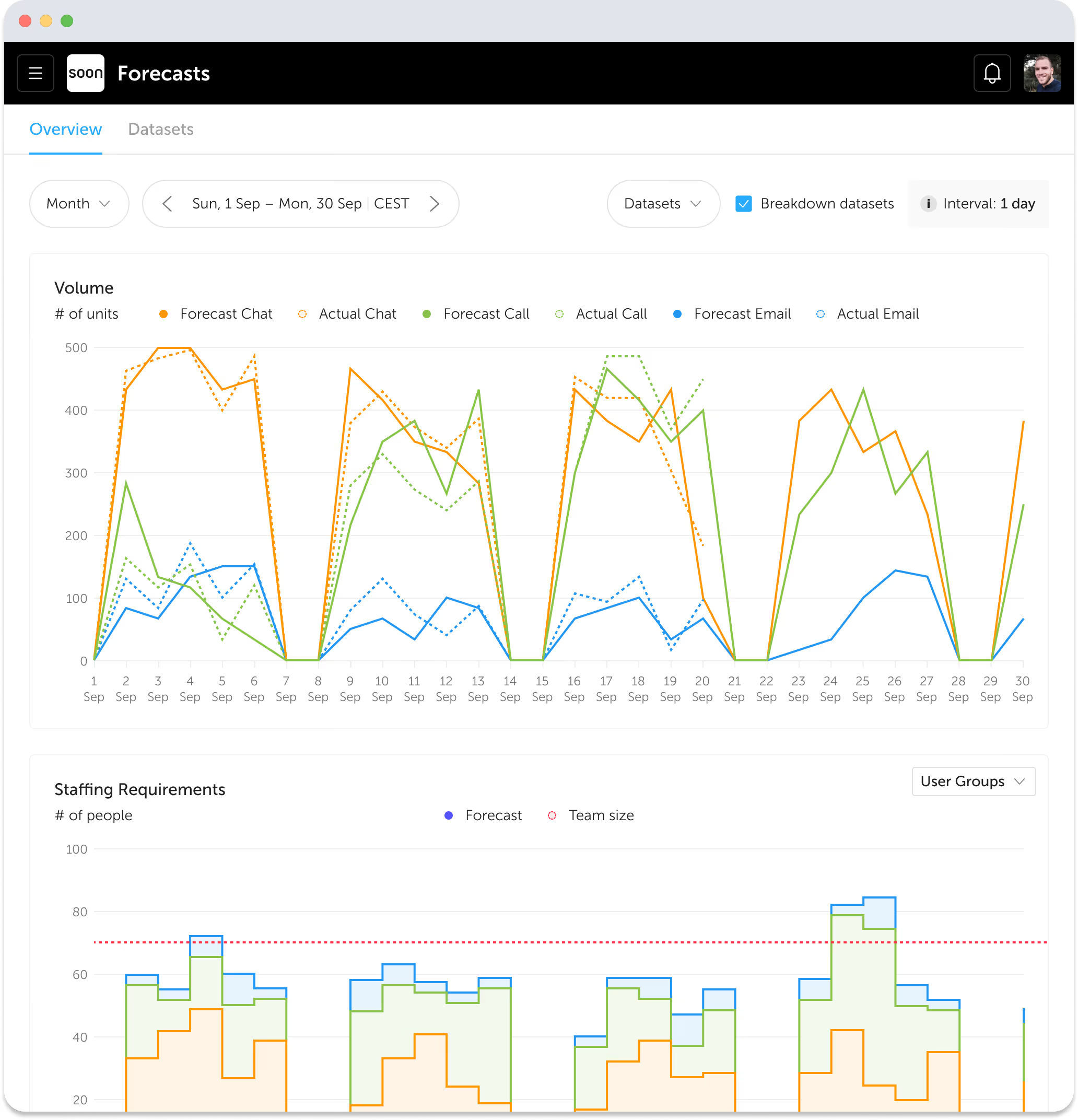
Adjust for events, holidays, and anomalies
Real demand patterns are messy. Soon gives you the controls to correct anomalies, account for known events, and keep the forecast grounded in how your operation actually runs.
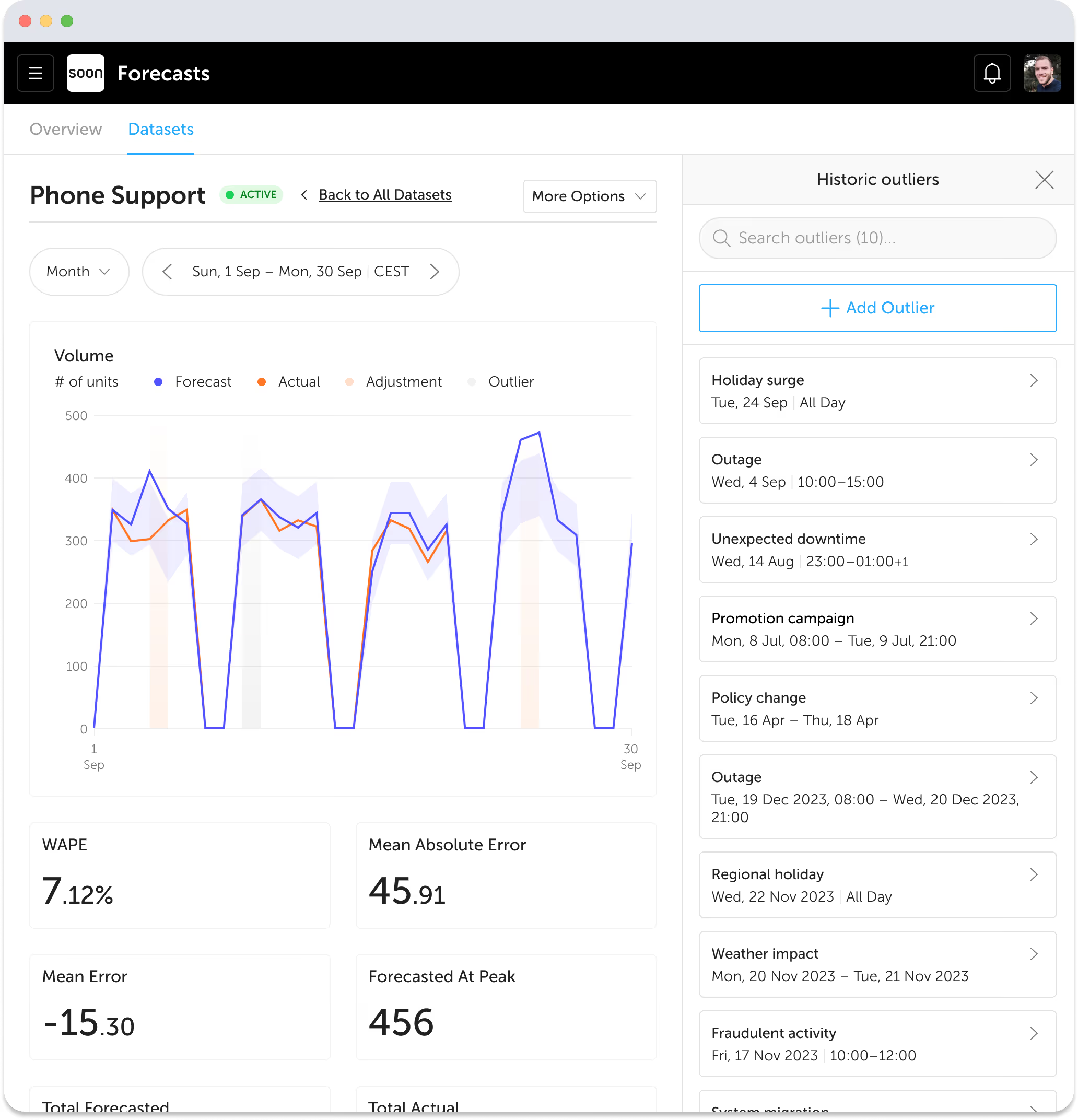
Bridge the gap between forecasting and workforce planning
A forecast only matters if it leads to a staffing plan. Soon turns projected demand into requirements your team can review, refine, and use for practical capacity planning.
A unified platform for accurate, stress-free workforce management
Planning works better when forecasting and scheduling live in the same workflow. Soon connects forecasted demand to the shift and intraday decisions your team needs to make next.
Forecast engine
A planner should be able to inspect how a forecast was selected, how uncertain it is, and how it changes the staffing plan. Soon keeps those decisions visible from the demand forecast through to the schedule.
Step 1
Soon uses rolling-origin backtests to compare forecasting models against your own historical data. A blended result is used only when it performs better out of sample.
Step 2
Confidence bands come from real forecast errors by time of day. Planners can compare a cost-focused p50 plan with a safer p90 staffing plan.
Step 3
Soon uses Erlang C and Erlang A queueing math for contact workloads, then tests the plan across simulated demand to show the chance of meeting service targets.
Step 4
Change volume, average handling time, or service targets and see how the required staffing level and operational risk change.
Worked example
This simple capacity example shows how operational inputs change the staffing number. Queued contact-center work also needs service-level and arrival-pattern calculations, which Soon handles with Erlang C or Erlang A.
1. Forecast demand
100 contacts in 30 minutes
2. Convert to workload
100 × 6 minutes AHT = 600 work minutes
3. Apply occupancy
20 concurrent workload ÷ 85% = 24 active agents
4. Apply shrinkage
24 ÷ 75% available time = 32 scheduled agents
Your forecast isn't a one-off calculation — it's a cycle that measures its own mistakes and feeds them back in. Here's the full lap your data runs, every day.
Real demand lands in Soon — a CSV you upload or a live connection to your contact platform. This history is the raw material for everything that follows.
A panel of forecasting models is tested against your own recent history. The one that would have predicted your past best earns the job of predicting your future.
The week happens. New actuals stream in and record what your operation really received — busy Monday, quiet Thursday, the campaign spike nobody announced.
Yesterday's forecast is frozen the moment it's made — it is never rewritten to look smarter afterwards. Forecast vs. reality is a real receipt, so the error we measure is the error you lived.
Every miss feeds back twice: models are re-ranked on the newest evidence, and the risk simulation is calibrated to how bursty your reality actually is — so the next forecast and its 2,000-run stress test both get sharper.
Spend less time maintaining spreadsheets and more time making planning decisions with confidence.
Adjust for changing demand without rebuilding your process every time volumes, events, or priorities shift.
Bring forecasting, staffing, and scheduling into one shared workflow that is easy for teams to adopt.
Soon supports a wide range of forecasting methods, each designed to tackle specific business challenges.
Incorporates trends, seasonality, and cyclical patterns for data with consistent, predictable changes over time.
Repeats the most recent value from the same weekday and timeslot, a strong baseline for stable weekly rhythms.
Learns a typical daily shape and scales it by a smoothed daily total, which works well for intraday call and chat curves.
Automatically selects the best ARIMA model parameters for accurate forecasts with minimal configuration.
Predicts future demand by averaging data from the same weeks in previous periods. Perfect for recurring weekly patterns.
Separates overlapping daily and weekly seasonality at once, for complex intraday demand patterns.
Purpose-built for intermittent, low-volume demand where most intervals are zero.
Spreadsheets get fragile fast when demand shifts, datasets grow, or more people need to plan from the same numbers. Soon gives your team one place to forecast demand, turn it into staffing requirements, and act on it.
Usually when demand varies enough that gut feel or weekly averages keep creating overstaffing, understaffing, or missed targets.
Scheduling, capacity planning, and intraday management. Forecasts are most useful when they influence staffing decisions directly.
Soon can forecast volume-based demand such as calls, chats, tickets, tasks, or workload by queue, channel, location, and time interval.
Soon backtests forecasting models against your own history. It selects the result that performs best out of sample and uses a blend only when the blend performs better than the best single model.
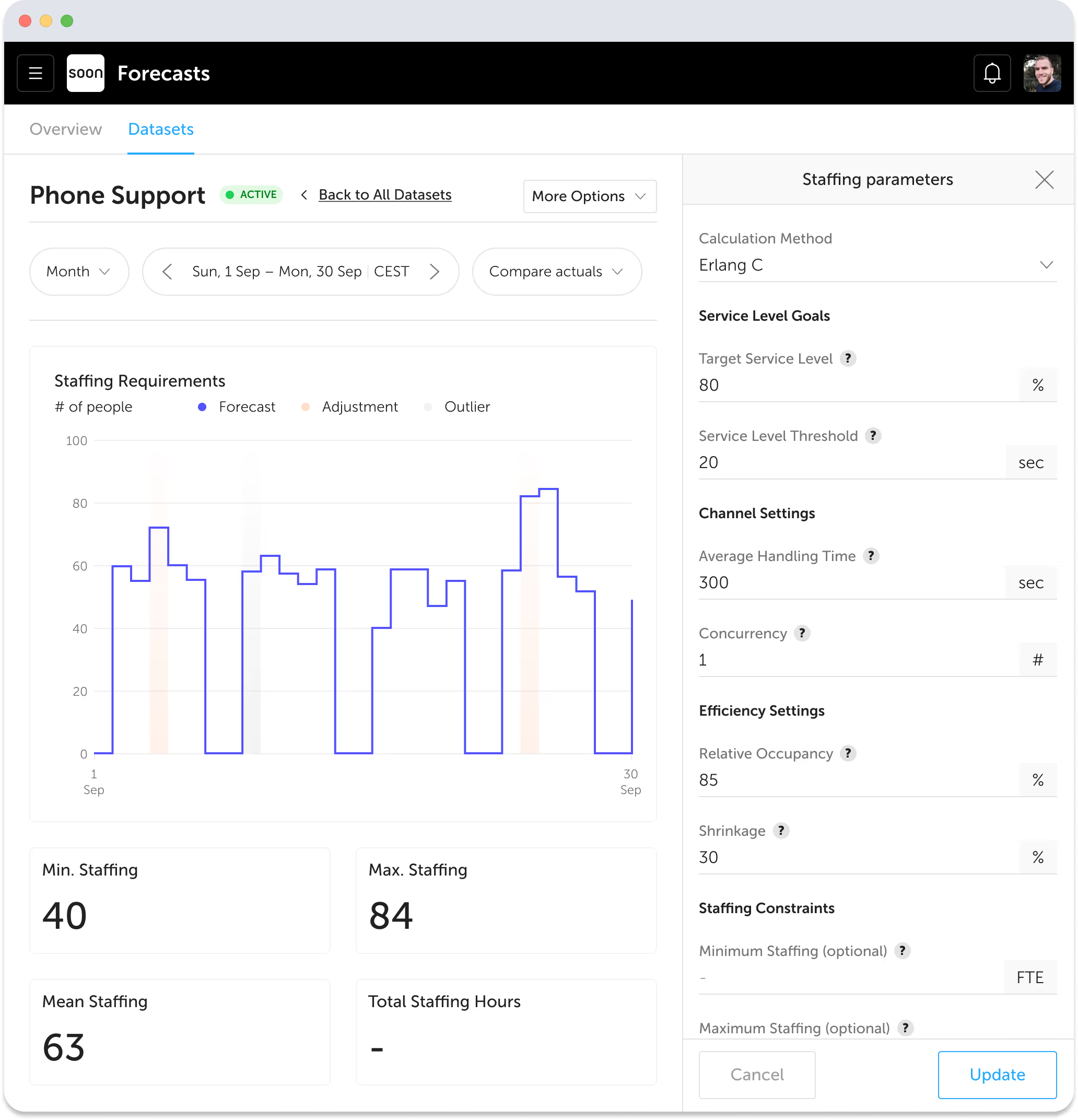
Soon combines forecast demand with inputs such as average handling time, service level, occupancy, shrinkage, and required skills. It then calculates staffing requirements that planners can use in the schedule.
"Soon's forecasting completely changed how we plan our workforce. We used to rely on spreadsheets and gut instinct, but now we have accurate, automated forecasts that integrate seamlessly with our scheduling. It's effortless, reliable, and has saved us countless hours while improving service levels."
Ossip Kupperman
Process Optimization Specialist, Knab
Forecasting for contact centers
Connect queue and channel forecasts with staffing requirements, shrinkage, agent schedules, and intraday decisions for contact centers and BPO teams.
Import your team, set your rules, hit auto-fill. Most teams are live the same day.
Free trial of 14, 30 or 60 days by plan · No credit card required
Already have an account?Sign in