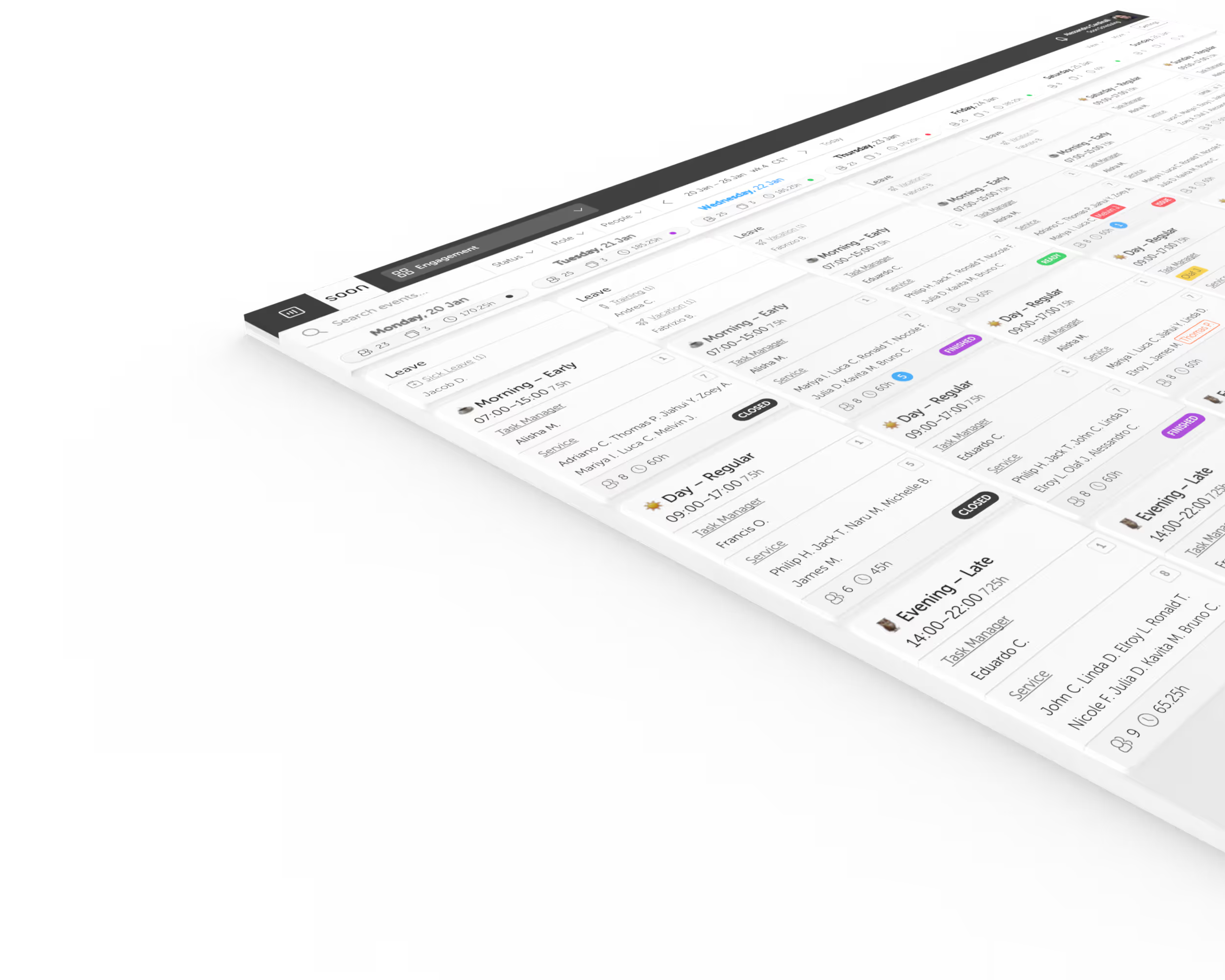
What is shift scheduling software?
Shift scheduling software helps managers create, assign, publish, and update work shifts. It keeps shift times, roles, staffing requirements, availability, and employee changes in one shared workflow.
Events in Soon let you create a schedule that exactly fits your team's needs. Customize shifts by time, staffing, and role to match how your operation actually runs.
Start with what matters
Events in Soon let you create a schedule that exactly fits your team's needs. Customize shifts by time, staffing levels, and roles to build a plan that reflects how your operation actually runs.
Try it free →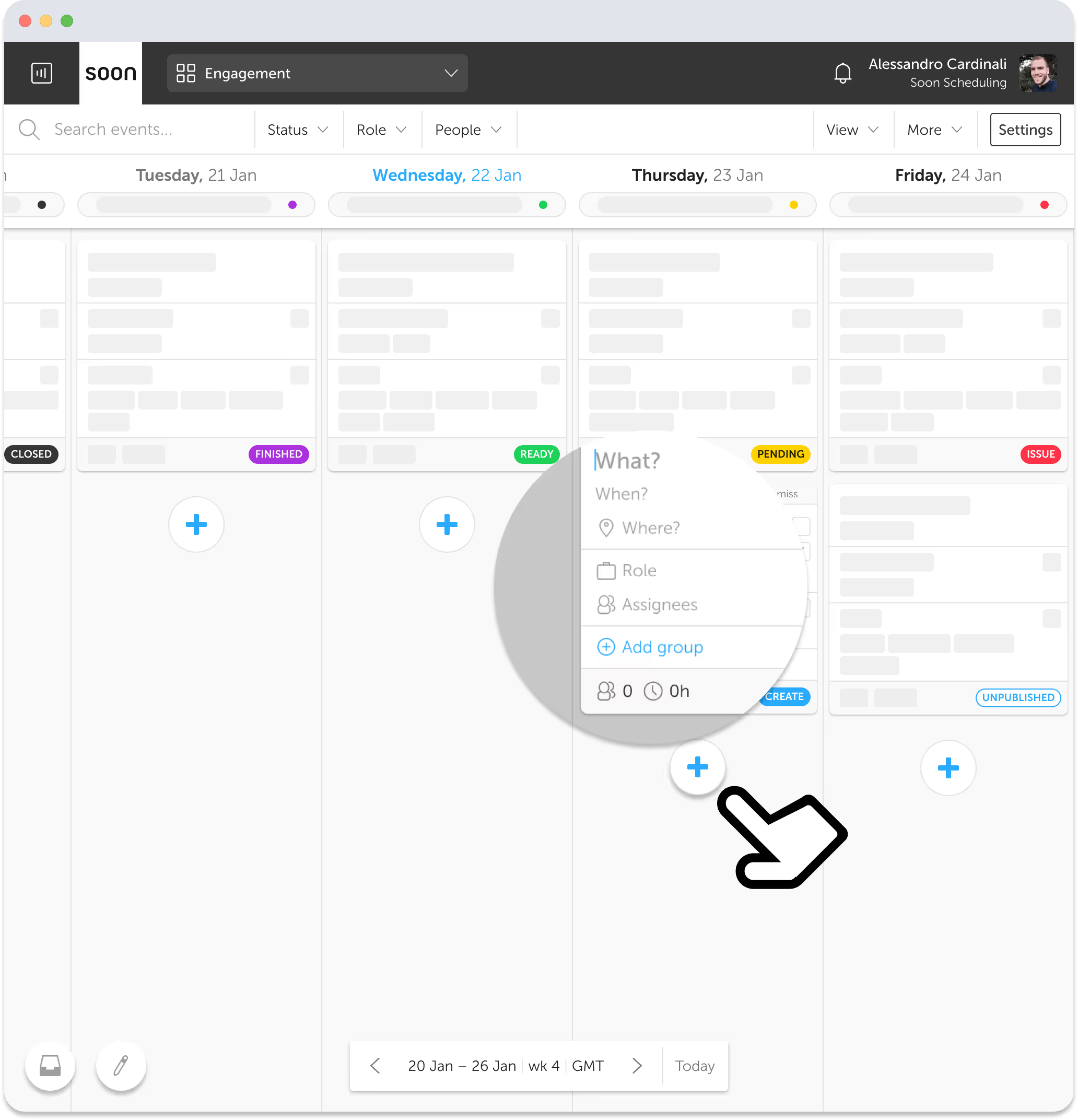
Select the best fit
The smart people picker shows who is available, qualified, and interested. Pick the right person for each shift with all the context you need, right where you need it.
Try it free →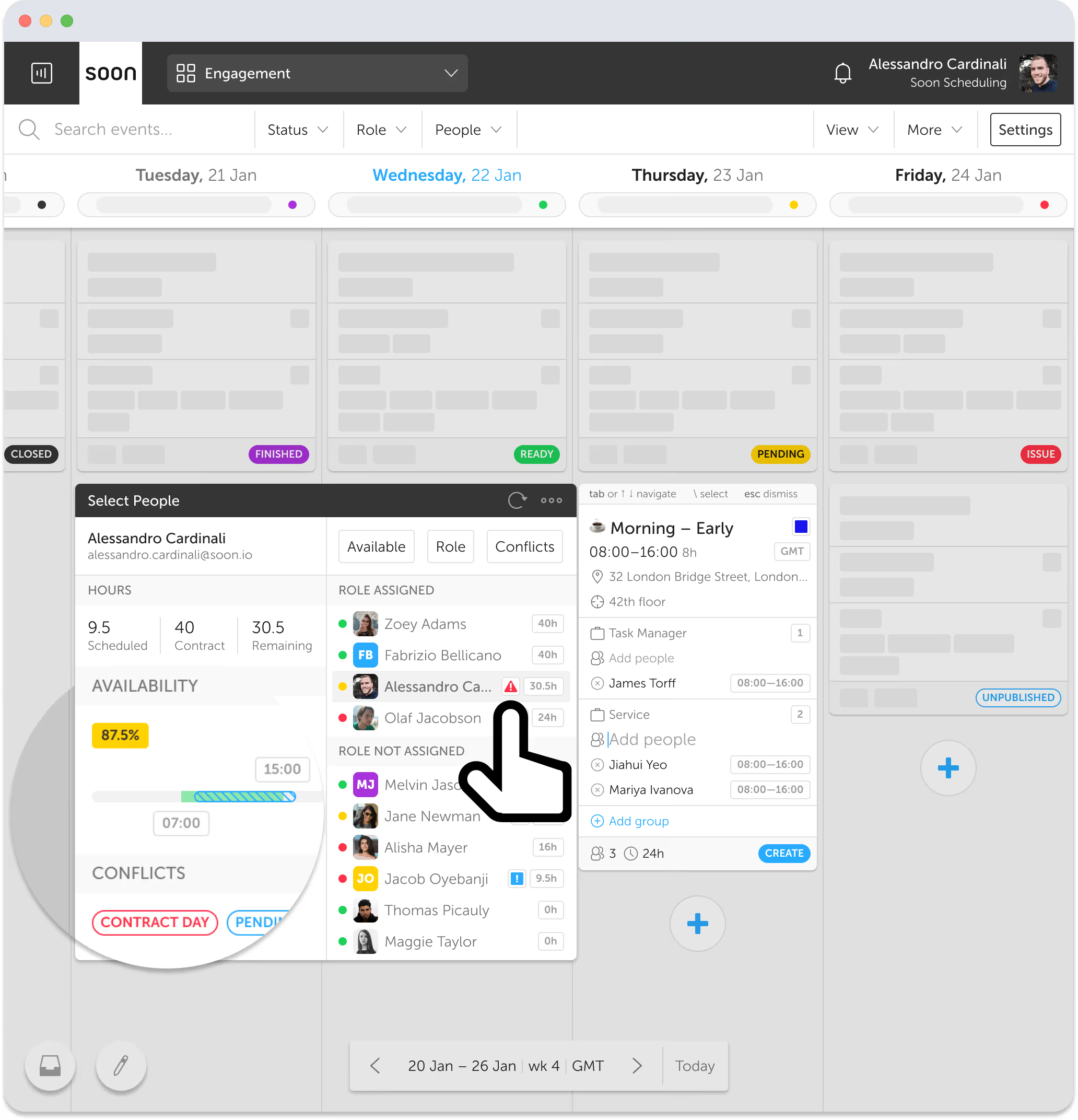
Ready for change
When someone can't make it, your team can request swaps or cover directly. Managers approve with one tap. No back-and-forth, no group chats.
Try it free →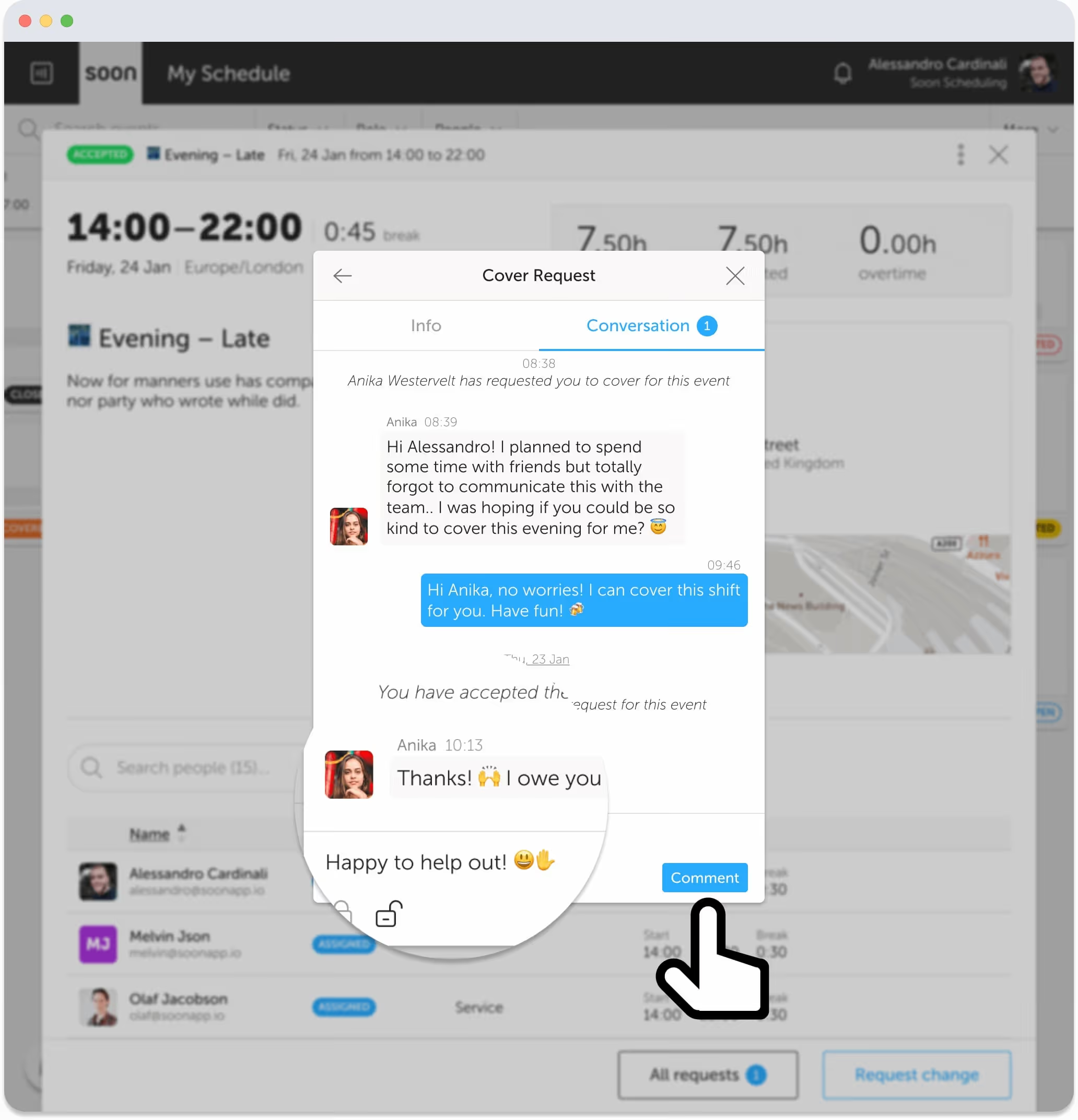
The ultimate flow
See which shifts are open, filled, or need attention at a glance. Status indicators and activity details keep you on top of your schedule without digging through tabs.
Try it free →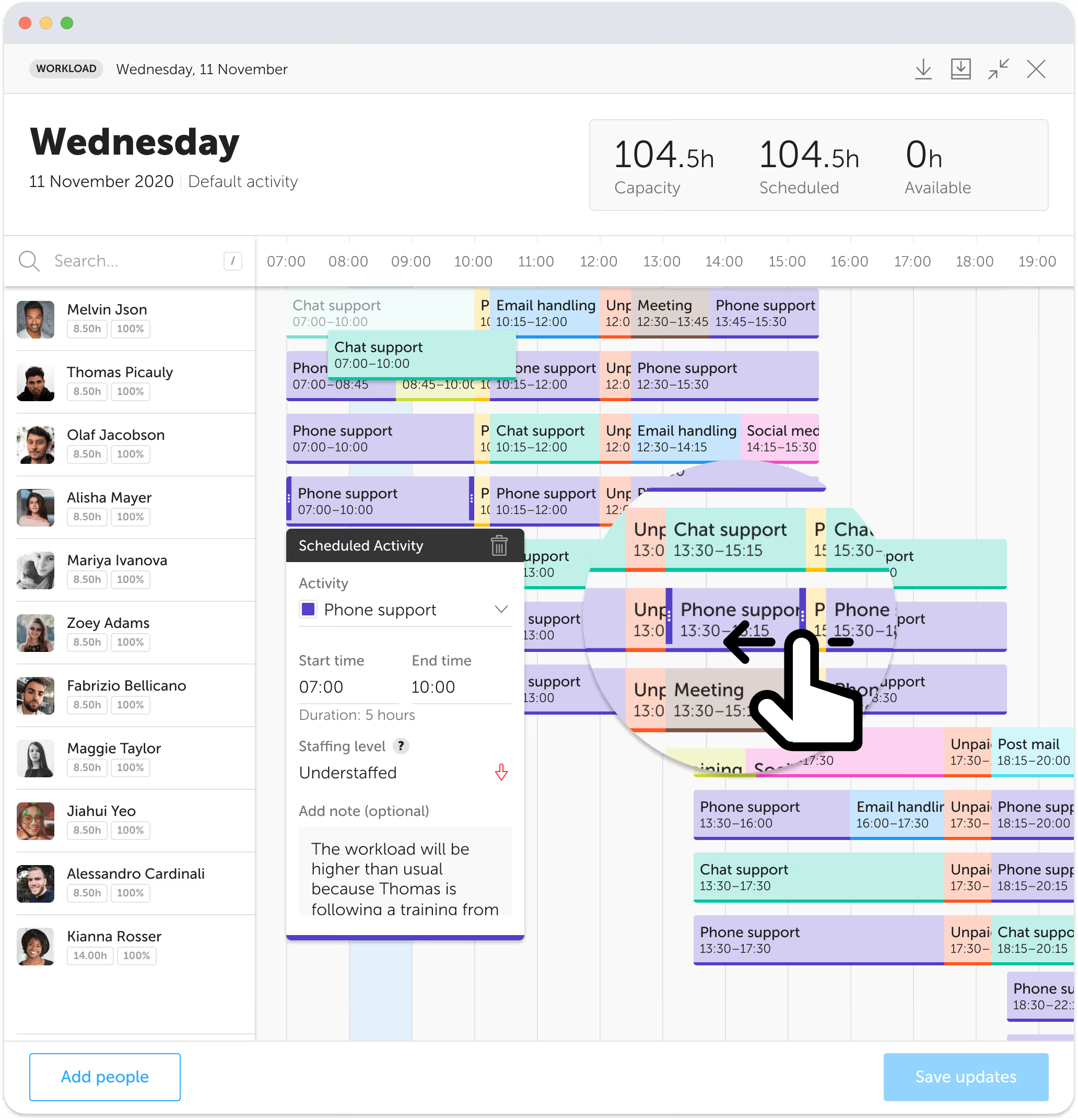
One scheduling workflow
Shift scheduling is more than placing names on a calendar. Each decision must connect staffing requirements with the people who are available and qualified, then remain easy to update when the week changes.
01
Set the time, role, staffing requirement, and details people need before they accept or start work.
02
Review availability, leave, qualifications, preferences, and existing assignments before you choose someone.
03
Assign a person directly when the decision is clear, or invite eligible employees when self-scheduling is a better fit.
04
Give managers and employees the same current schedule, with status and shift details visible in one place.
05
Use open shifts, cover requests, swaps, and manager approval to resolve changes while keeping the schedule current.
Step 3 can hand the choice to your team: see how self-scheduling lets employees pick and swap shifts within your rules, or how it works for medical and clinical staff scheduling.
After publication
A published schedule is not a finished schedule. Absences, leave, demand changes, and employee requests still need a controlled response. Soon keeps those changes attached to the shift instead of spreading them across messages and copied files.
When someone cannot work, employees can request a swap or cover. Managers can review the change with the current shift details in view, then approve it without rebuilding the rest of the week.
Use manual scheduling when
Use auto-scheduling when
Set minimum and maximum staffing levels per shift to always meet coverage targets.
Define shift roles such as Shift leader, Cashier or Agent and assign them to shifts so everyone knows the job.
Record the licences, languages and certificates each person holds, with levels and expiry dates, under Users.
Availability starts from each contract; people request changes and planners approve them day by day, so you know who can work before you assign.
Track attendance and know when people clock in, finish, or miss a shift.
Color-code shifts by role, team, or activity for instant visual clarity.
Track schedule adherence and follow up when shifts don't go as planned.
Evaluating tools? Compare the best employee scheduling software, review AI shift scheduling software, or see the broader employee scheduling solution.
Common questions
Shift scheduling software helps managers create, assign, publish, and update work shifts. It keeps shift times, roles, staffing requirements, availability, and employee changes in one shared workflow.
Shift scheduling focuses on defining shifts, filling them with eligible people, publishing the plan, and handling changes. Employee scheduling is a broader category that can also include availability, leave, employee self-service, and other workforce processes.
Yes. Managers can build shifts manually or use rule-based auto-scheduling to assign eligible employees based on requirements, availability, skills, hours, leave, and other constraints.
Yes. Employees can request a swap or cover, and managers can review and approve the change. The updated shift stays connected to the current schedule.
Yes. Soon supports filters, timezone views, role definitions, staffing requirements, and schedule details that help managers coordinate more complex operations.
Import your team, set your rules, hit auto-fill. Most teams are live the same day.
Free trial of 14, 30 or 60 days by plan · No credit card required
Already have an account?Sign in