Introducing Soon Pulse Beta Release
Last updated August 2, 2023
Get 360 Shift Feedback Instantly with AI-Generated Reports
Introduction
We’re excited to announce the beta release of Soon Pulse, an innovative feature designed to help you gather feedback from your scheduled users during events, and turn that feedback into an actionable report that’s bound to give you new insights.
With the beta release you can access a pre-defined “360 Shift Feedback” template and generate an AI-powered report made possible by OpenAI’s GPT advanced language processing once all responses are received.
In this help article, we’ll guide you through the process of setting up and using the Soon Pulse beta to improve your operations.
How to Set Up and Use Soon Pulse
Soon Pulse provides an easy and efficient way to gather feedback from your team. By following these few simple steps, you’ll be able to use Soon Pulse’s innovative AI technology to get valuable insights into your team’s productivity quickly.
- Install the Pulse Power-UpTo begin, install the Pulse power-up through your board settings by going to Settings in the top right corner, selecting the Power-Ups tab, and choosing Pulse. Click “Install” to activate the Pulse power-up.
- Close the Board SettingsOnce you have installed the Pulse power-up, close the board settings.
- Open the Pulse Side PanelFind the floating “Pulse” button in the bottom left corner of the board (next to the “Hours” button). Click on it to open the Pulse feature.
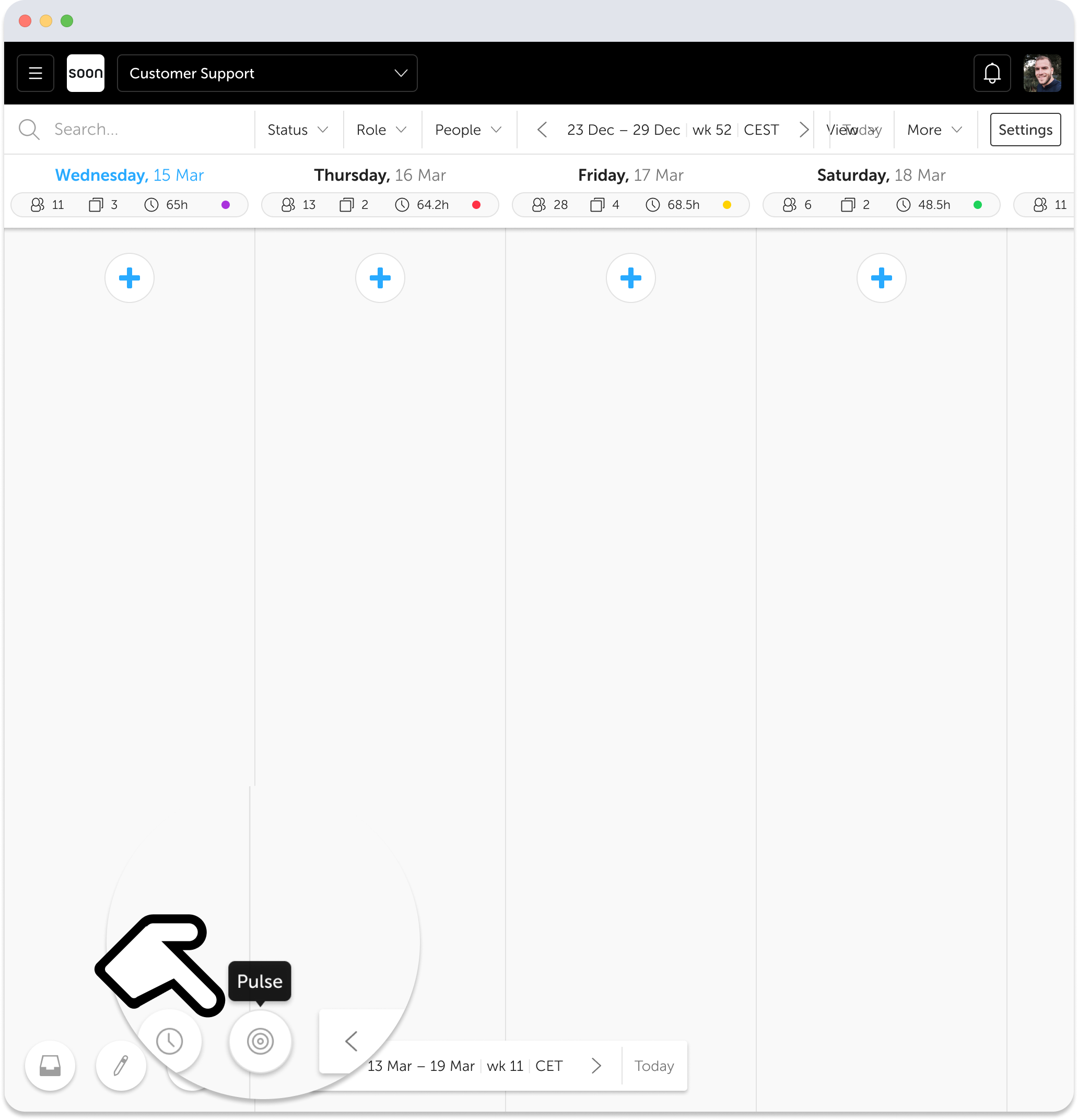
- Add a PulseClick the “+ Pulse” button and select the pre-defined template “🔄️ 360 Shift Feedback.”
- Create and Set LiveClick “Create” and then “Set live” to activate your Pulse.
- Pulse DistributionScheduled users will receive the Pulse (question) 15 minutes before the end of their event. The Pulse will expire 3 hours after the event’s conclusion.
- Team Members RespondWait for your team to submit their responses.
- Report GenerationOnce all responses are collected, an AI-generated report, powered by OpenAI’s GPT-3 advanced language processing, will be generated for the day. This report provides a comprehensive summary of the feedback received, enabling you to identify patterns, trends, and insights in the responses.
- Take ActionUse the insights gained from the AI-generated report to take action and improve your team’s productivity.
Pausing Soon Pulse
If you decide you no longer want to use Soon Pulse, you can simply pause it. To do this, open the Pulse and click on the “More options” icon, then select “Pause.”
Pulse Beta Release Notes
The Soon Pulse beta release aims to enhance your event experience by providing an easy-to-use, anonymous feedback collection system. Don’t hesitate to give it a try and benefit from this new feature!
- Pulse reports can only be accessed on desktop devices.
- Users can respond to the Pulse question in any language. However, the generated report is available in English only during the beta phase.
- The Pulse question will appear automatically for users when activated, but during the beta phase, they will not receive in-app or email notifications.
- The Pulse template is fixed and non-editable during the beta phase. However, we’ll be adding more customizable options in future updates.
- As this is the first real-life test for the AI-generated report, there may be some unexpected outcomes. We appreciate your patience and understanding as we continue to improve Soon Pulse.
Got feedback for us?
As always, we’re eager to hear your feedback and suggestions as we work towards creating a more refined and customizable Pulse experience. You can submit your feedback at https://feedback.soon.works/ or contact us directly through the in-app chat.