Skip to content
Intraday Management

Intraday scheduling software that replans the day when the day changes

Shift scheduling decides who is working today. Intraday scheduling decides what each of them is doing right now. Soon plans the inside of the day from your rules, then rebuilds it the moment coverage moves.

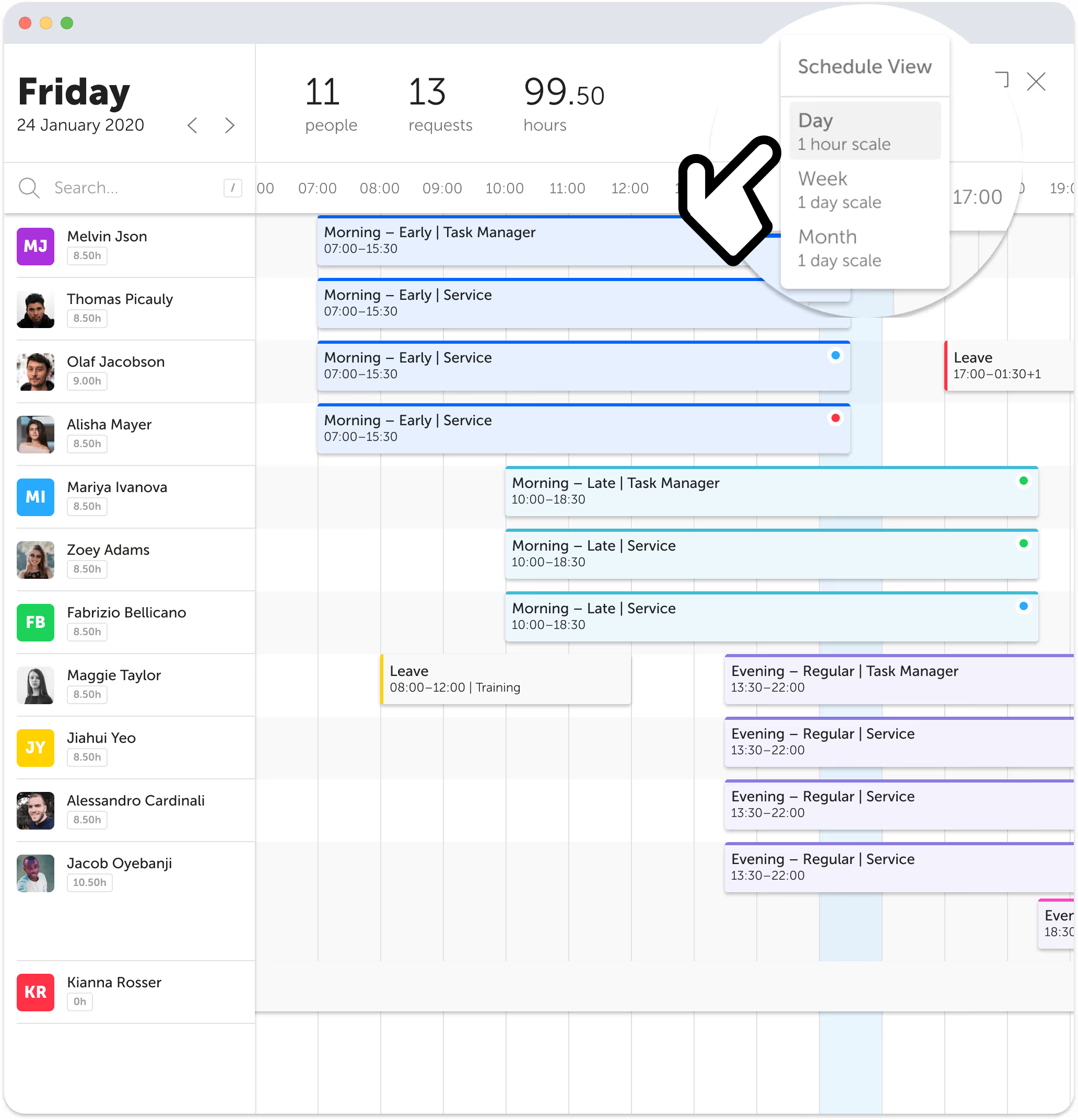
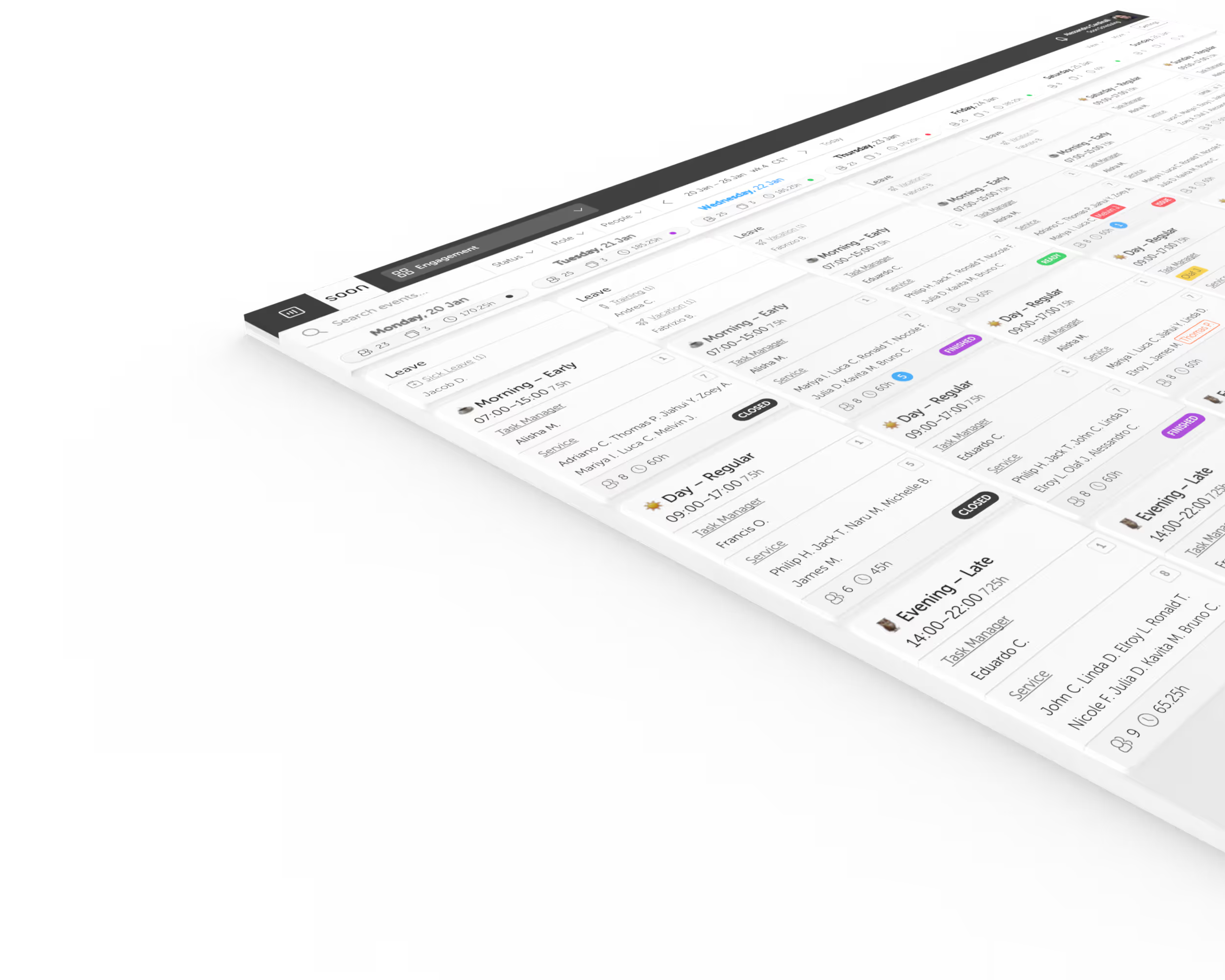
Intraday scheduling view in Soon showing live task assignments across a team timeline

The short definition

Intraday scheduling is the layer between a published shift plan and the day it has to survive. It is how breaks, activities, and coverage get assigned and reassigned while the day is running.

A roster can look correct at 08:00 and be wrong by 11:00. Someone calls in, volume arrives early, training overruns, a break lands where it creates a gap. Intraday scheduling is the work of keeping the plan true through all of that, and it is the part most scheduling tools stop short of.

Three different jobs, often confused for one

Teams looking for intraday scheduling usually find shift schedulers or task managers instead. These are the three layers and the question each one answers.

LayerQuestion it answersHorizonOutput
Shift schedulingWho is working today?Weeks aheadA published roster
Intraday schedulingWhat is each person doing right now, and are we still covered?Inside the day, interval by intervalAn activity plan per person
Task managementWhat has to get done before end of shift?Whenever it fitsA checklist

Watching the day break is not the same as fixing it

Most intraday tooling is built around monitoring. It compares what is happening to what was planned, and it is good at telling you the moment the two diverge. What it hands back is a notification, and the repair is still yours to do by hand, under time pressure, while the queue builds.

Soon is built to do the repair. The same rules that describe a correct day are the rules the solver plans against, so a broken day can be rebuilt rather than triaged.

When this happensMonitoring the dayReplanning the day with Soon
Coverage drops below requirementRaises an alert for a supervisor to actionRaises the alert and produces a repaired plan to accept
Someone calls in at 08:00You reassign people one at a time by handThe solver reassigns everyone affected in one pass
Breaks need movingDragged manually, then checked against policyReplaced inside the window each person is entitled to
Only some staff are qualifiedYou filter a list and remember who can do whatSkills and groups are constraints the solver cannot break
Your rules changeThe policy document changesThe config the solver runs changes

The intraday solver

Describe the rules once. Let the solver build the day.

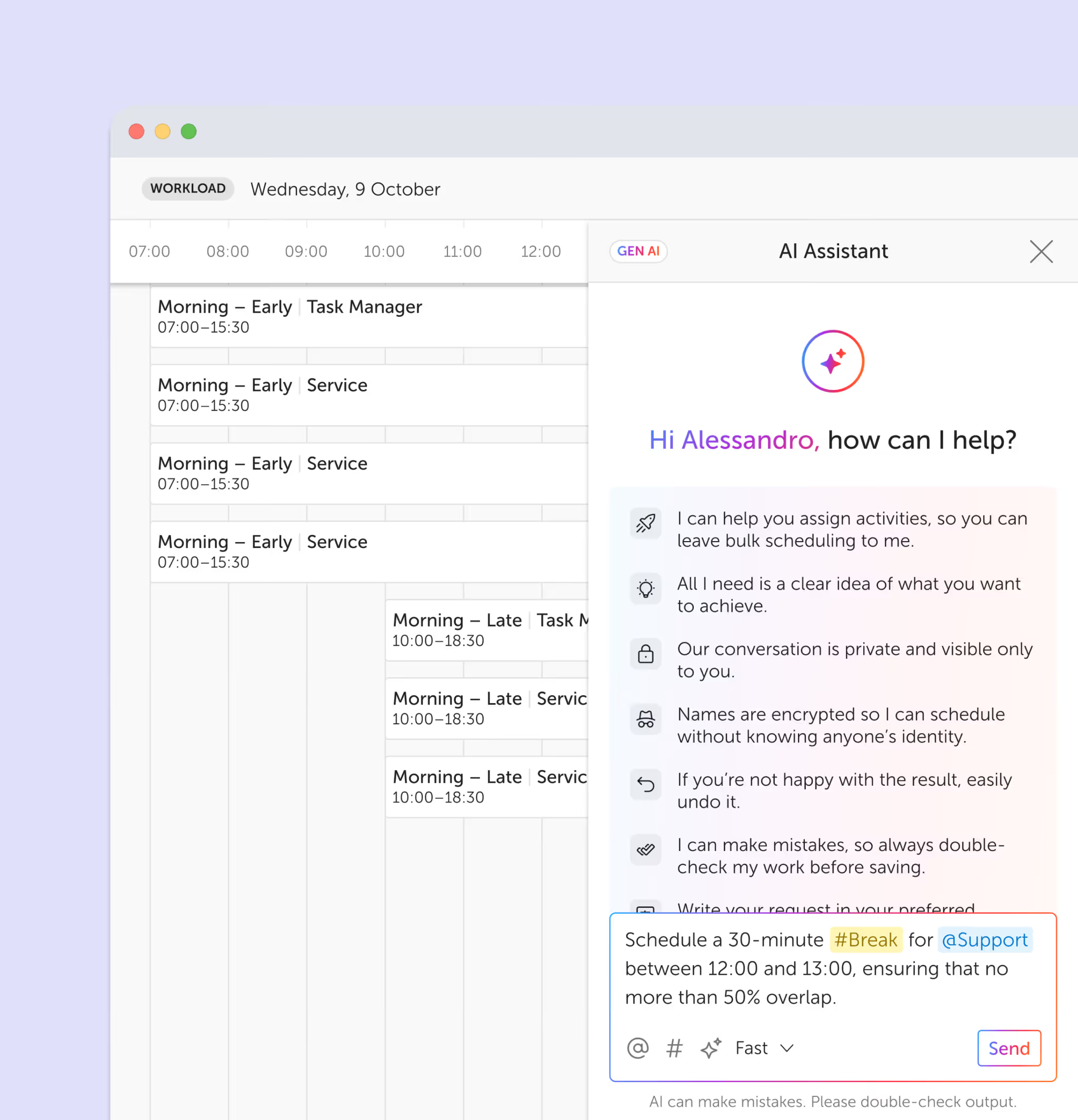
Building an intraday plan by hand means holding required headcount, break entitlements, skills, and everyoneโ€™s shift boundaries in your head at the same time. The solver holds them instead. You add an activity, give it rules, and solve. Then you add the next activity and solve again, building the day in layers until it is right.

Because the rules are stored rather than remembered, the same solve can be run again at 10:00 when someone goes home sick. That is the difference between a plan you made once and a plan you can keep making.

The seven constraints

User filter
Restricts an activity to specific people or user groups, so French chat only lands on French speakers and dispatch only lands on people cleared for it.
Time window
Sets when an activity may be scheduled, either at a fixed time of day or relative to each personโ€™s own shift start. Team meeting at 10:00 for everyone; break three to five hours into whatever shift you are on.
Time required
Sets the volume of work to place, either as a team total for the day or as an amount every individual must receive.
Occurrences
Controls how many separate times an activity appears, which is how two short breaks stay two short breaks instead of merging into one long one.
Staffing requirements
Sets the exact headcount needed on an activity at specific times. Feed it from a forecast and the solver staffs to demand rather than to a flat average.
Concurrency
Caps how many people can be on the same activity at once, so training never quietly empties the phones.
Consecutive time
Defines how long an uninterrupted block must or may run, which is what stops a day fragmenting into unworkable ten minute slivers.

Any of them can be set as a soft constraint, which tells the solver to honor the rule where it can rather than fail when it cannot. That is usually the difference between a schedule and an error message.

Intraday solver in Soon building activity assignments from configured rules

One live view

See the whole day, not just who clocked in

Every person, every activity, every break, on one timeline that updates as the day moves. The questions that normally take three tabs and a group chat get answered by looking at the screen.

Try it free
Intraday timeline in Soon showing activities across a team through the day

Coverage against requirement

Know you are short before the queue tells you

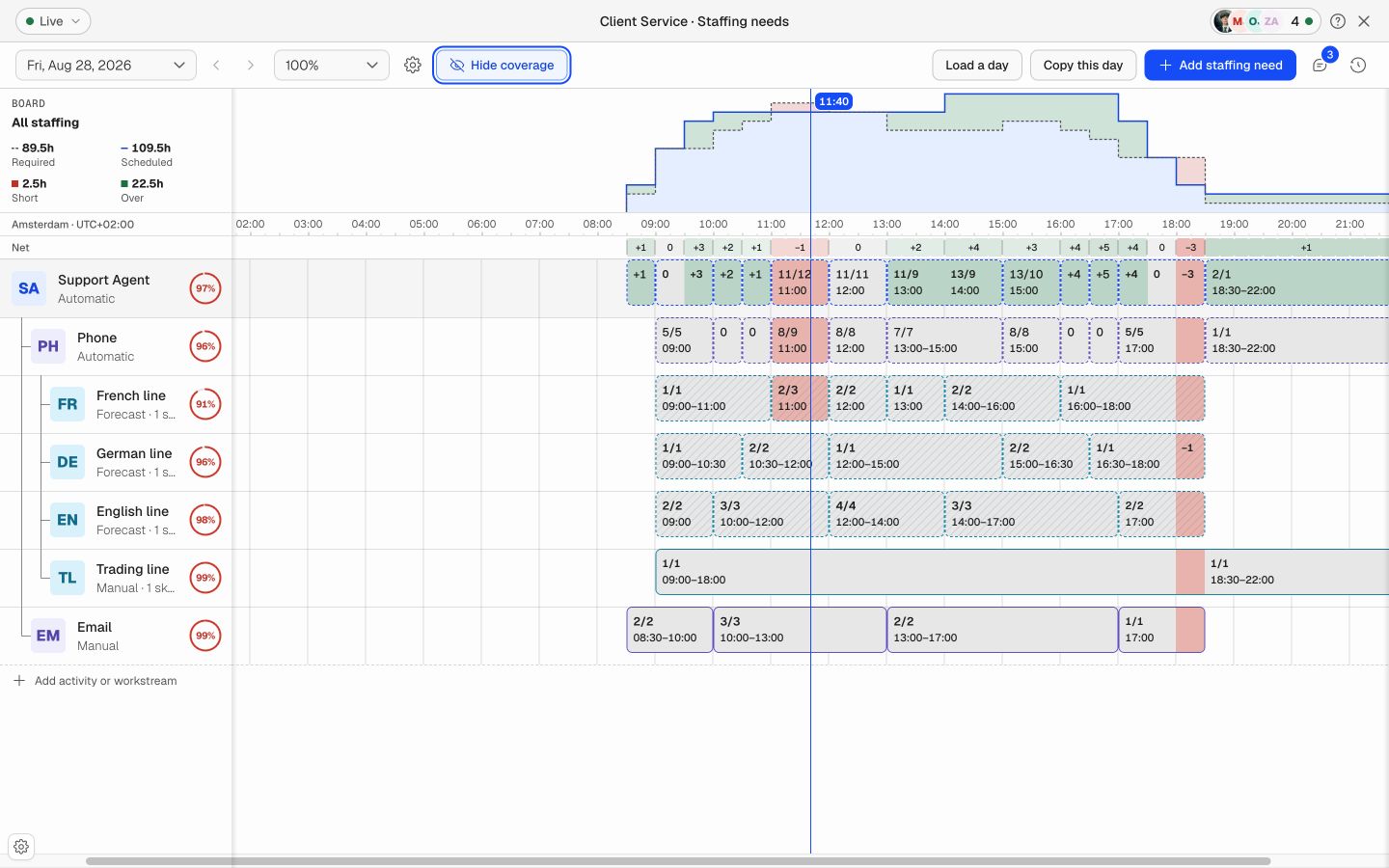
Set required staffing at interval level and watch scheduled against required through the day. Gaps surface while there is still time to do something about them, rather than in tomorrowโ€™s service level report.

Try it free
Required staffing levels with coverage indicators in Soon

Balanced, not just covered

Stop the same people absorbing every bad day

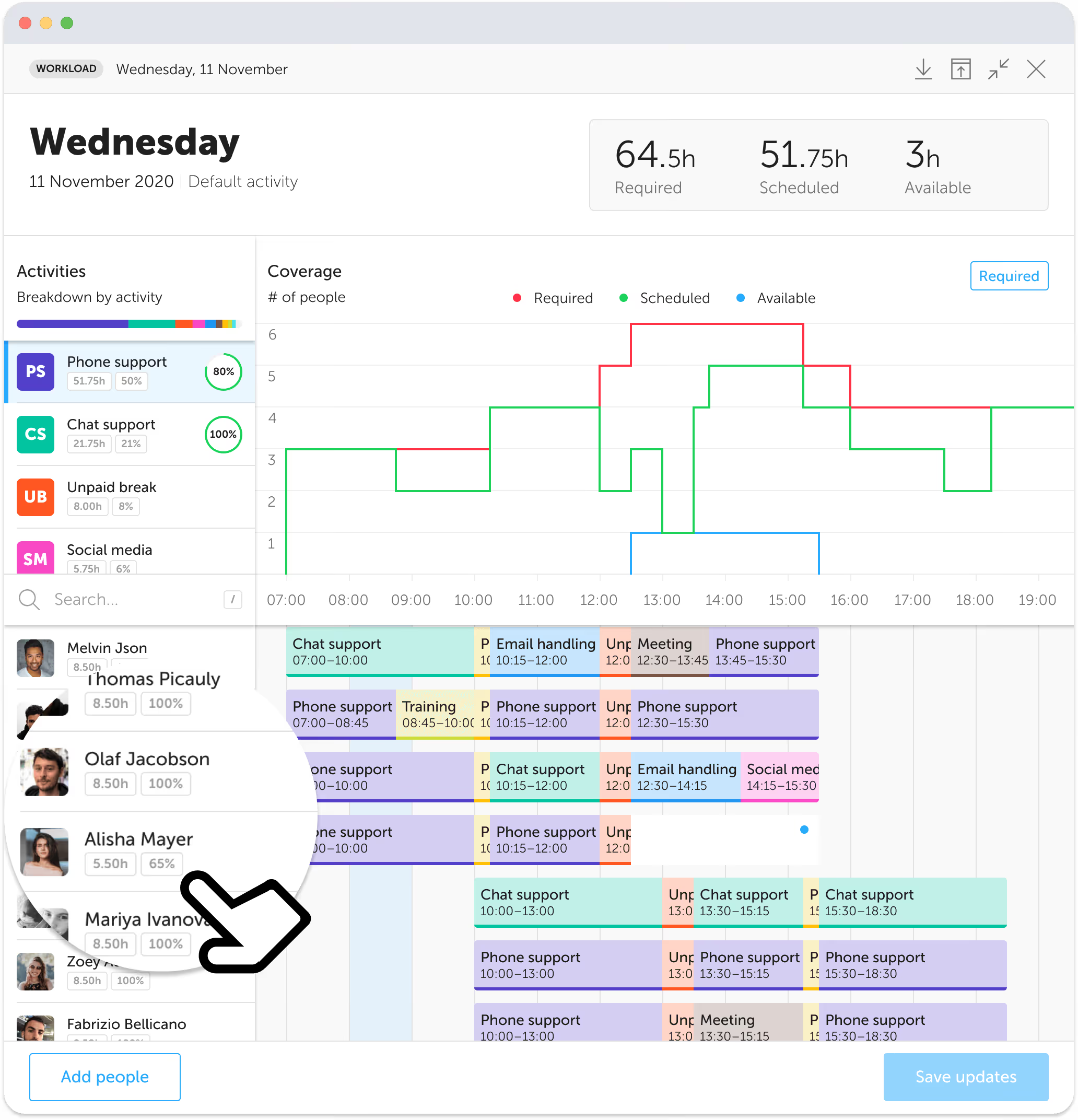
Coverage that is met by overloading three people is not really met. Distribution across the team is visible per person, so the cost of todayโ€™s plan is legible before you publish it.

Try it free
Work distribution across a team in Soon

Changes that reach people

Move work without chasing anyone

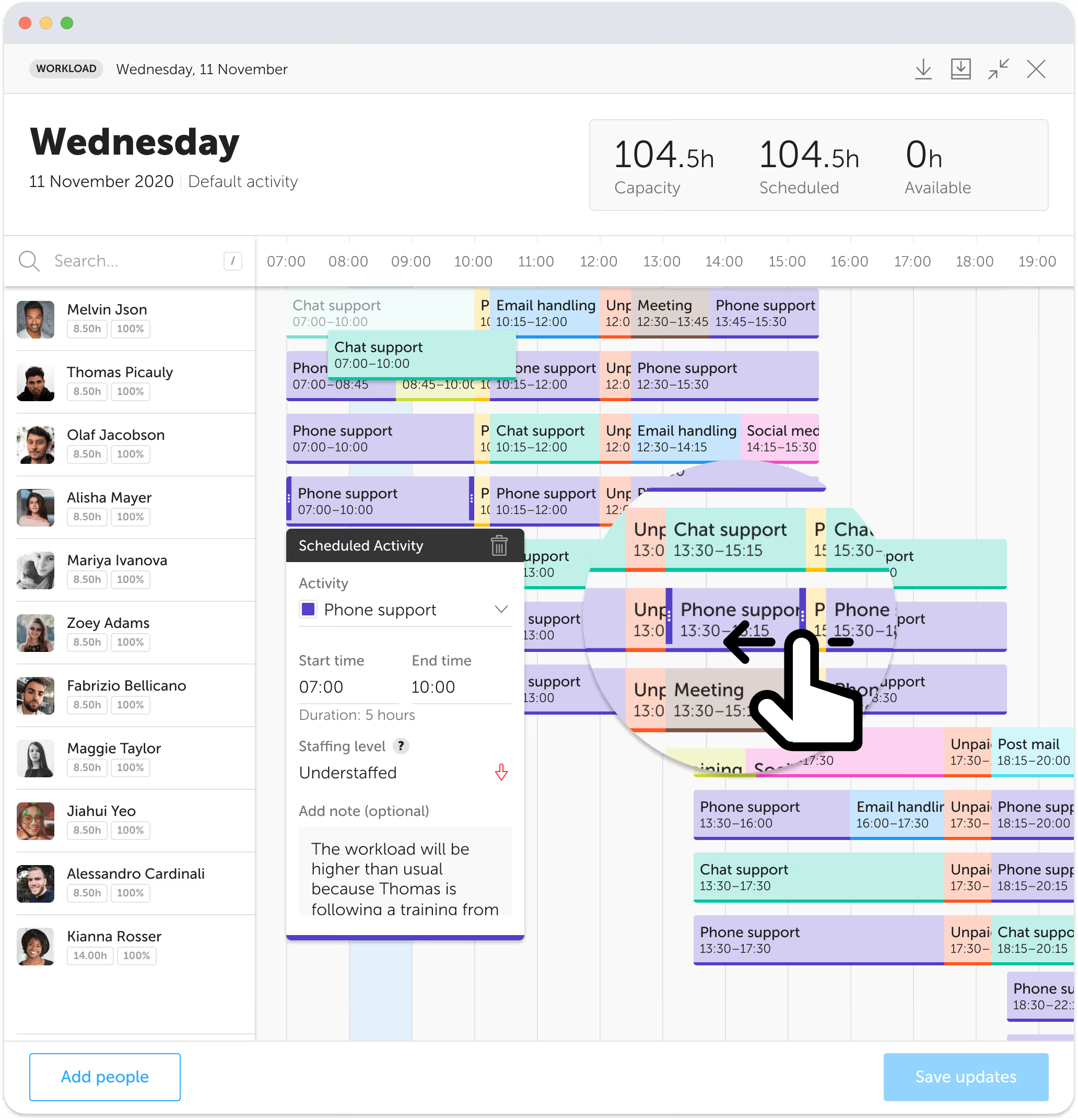
Drag and drop to reassign, or let the solver do the pass for you. Either way the people affected see the change in the app instead of hearing it secondhand halfway through the afternoon.

Try it free
Activity detail and reassignment in Soon

What you get in the intraday view

Intraday scheduling is how the dayโ€™s workload gets rebalanced across the team while there is still a day left to change. These are the parts that make that practical.

Staffing levels

Set required staffing at exact time intervals. See required against scheduled at a glance.

Custom activities

Phone, chat, email, social, back office, training, meetings, breaks. Define the activities your day is actually made of.

Soft constraints

Mark a rule as preferred rather than mandatory so the solver still returns a plan when the ideal one is impossible.

Self-scheduling

Let people pick their own activities inside your rules, which cuts idle time and shortens the stand-up.

Time tracking

Track time per person and per activity, then filter down to the slice you need to explain.

Capacity insights

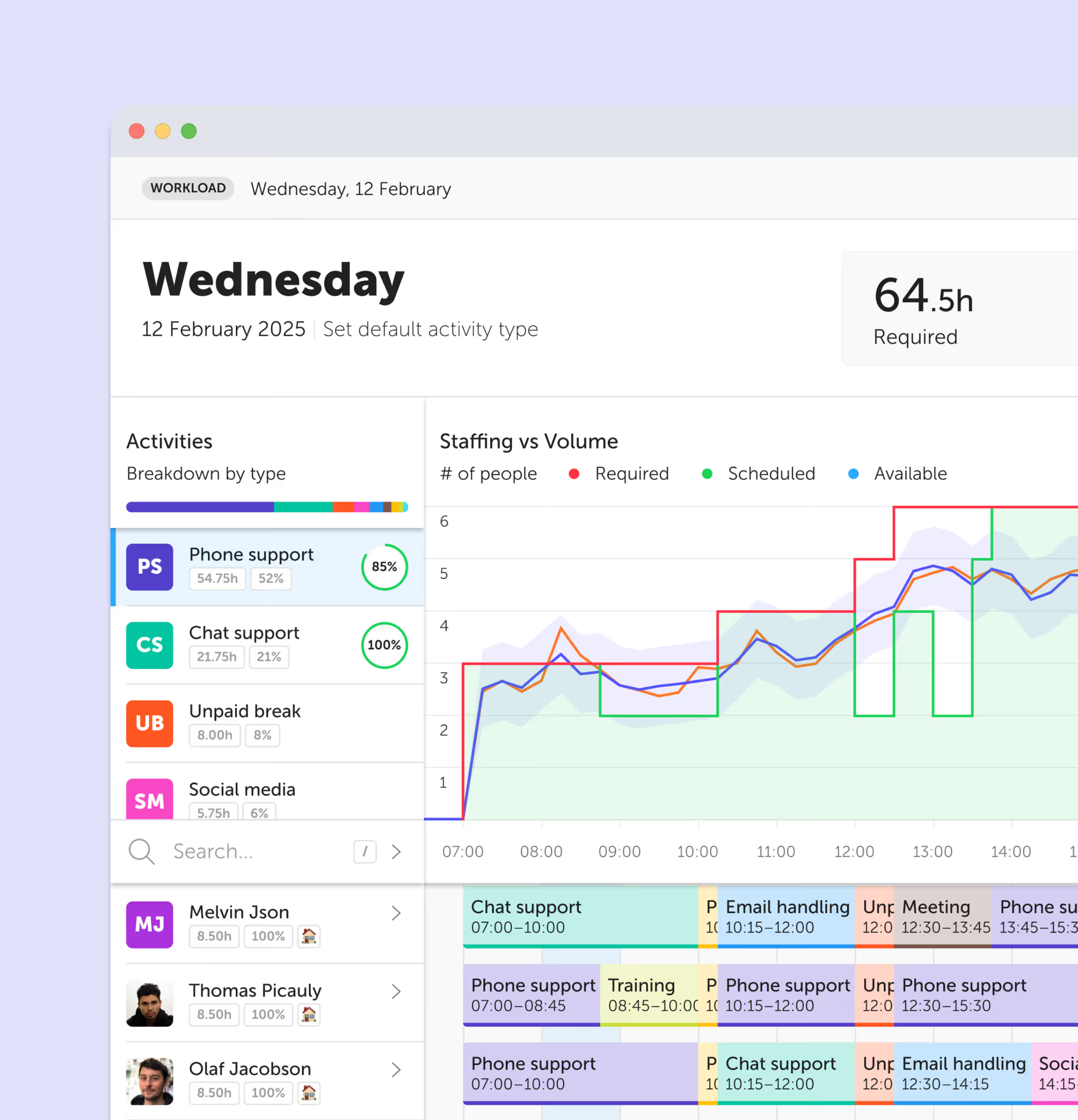
Scheduled, available, and required headcount on one graph across the day.

Intraday scheduling questions

What is intraday scheduling?
Intraday scheduling is the practice of planning and adjusting what each person is doing during the working day, rather than only planning who is rostered for it. It covers breaks, activity assignment, and coverage against requirement at interval level, and it starts once the published shift plan meets the reality of the day.
How is intraday scheduling different from intraday management?
They describe the same layer of the day from two angles. Intraday management is the contact center term for tracking actual volume against forecast and reacting, and it grew up around adherence monitoring. Intraday scheduling is the planning half of that work: deciding and re-deciding who is on what. Soon does both, and the phrase you use depends on the industry you came from.
What is an intraday solver?
An intraday solver is an optimization engine that builds the inside of the day for you. You describe your activities and the rules they must obey, such as required headcount at a given hour or the window a break has to fall in, and the solver searches the possible schedules for one that satisfies them. In Soon it runs on seven constraint types and can be re-run whenever the day changes.
Can the solver handle breaks and working time rules?
Yes. Break placement is expressed with a time window relative to each personโ€™s shift start, a required duration, and an occurrence count, so a break lands inside the period the person is entitled to it rather than wherever there happens to be a gap. Rules you would rather keep than enforce absolutely can be set as soft constraints.
Does intraday scheduling only apply to contact centers?
No. Contact centers named the discipline, but the same problem appears anywhere work moves during the day and coverage cannot lapse: clinics and front desks, service operations, support teams, back office processing, and any operation rotating people between positions inside a shift.
Your next schedule could take 2 minutes.

Import your team, set your rules, hit auto-fill. Most teams are live the same day.

Try Soon free

30 days free ยท No credit card required

Already have an account?Sign in