AI tools for scheduling teams that need speed and control
Use natural language to make scheduling changes, generate shift frameworks, and surface workforce insights without adding complexity to the operation.
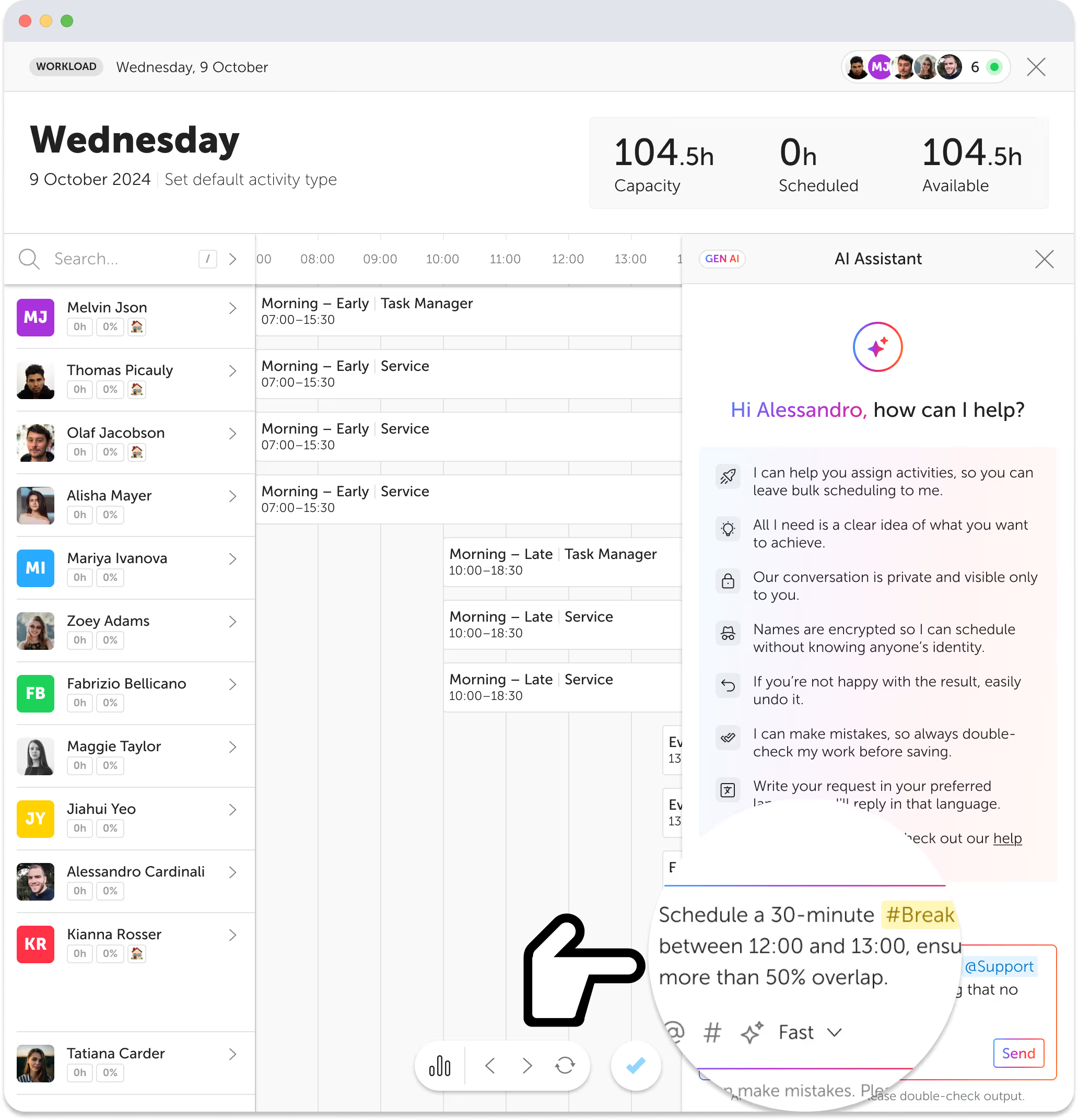
AI Assistant for Intraday Scheduling
Handle live coverage decisions with plain-language prompts, guided previews, and fast operational control when the day shifts under you.
- Assign tasks using plain language with @names and #activities
- Fast Mode for quick actions; Smart Mode for complex logic
- Full control via preview, apply, undo, redo options
- Real-time schedule inquiries
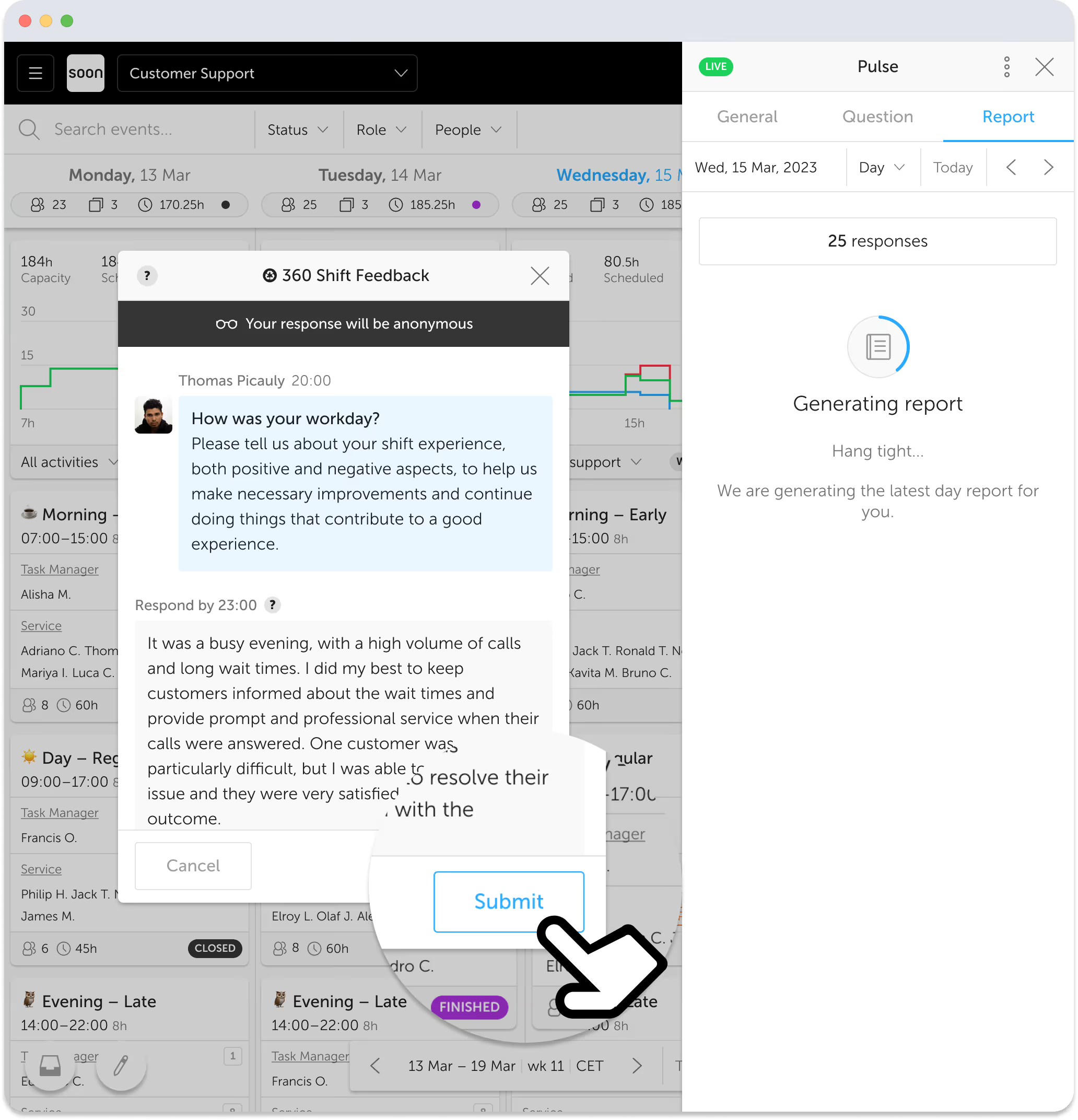
AI-Powered Employee Feedback Insights
Turn ongoing team feedback into usable signals, summaries, and action points without adding another reporting workflow.
- Continuous automated feedback collection
- AI-generated reports with actionable insights
- Enhanced team engagement and productivity
- Anonymous responses with privacy defaults
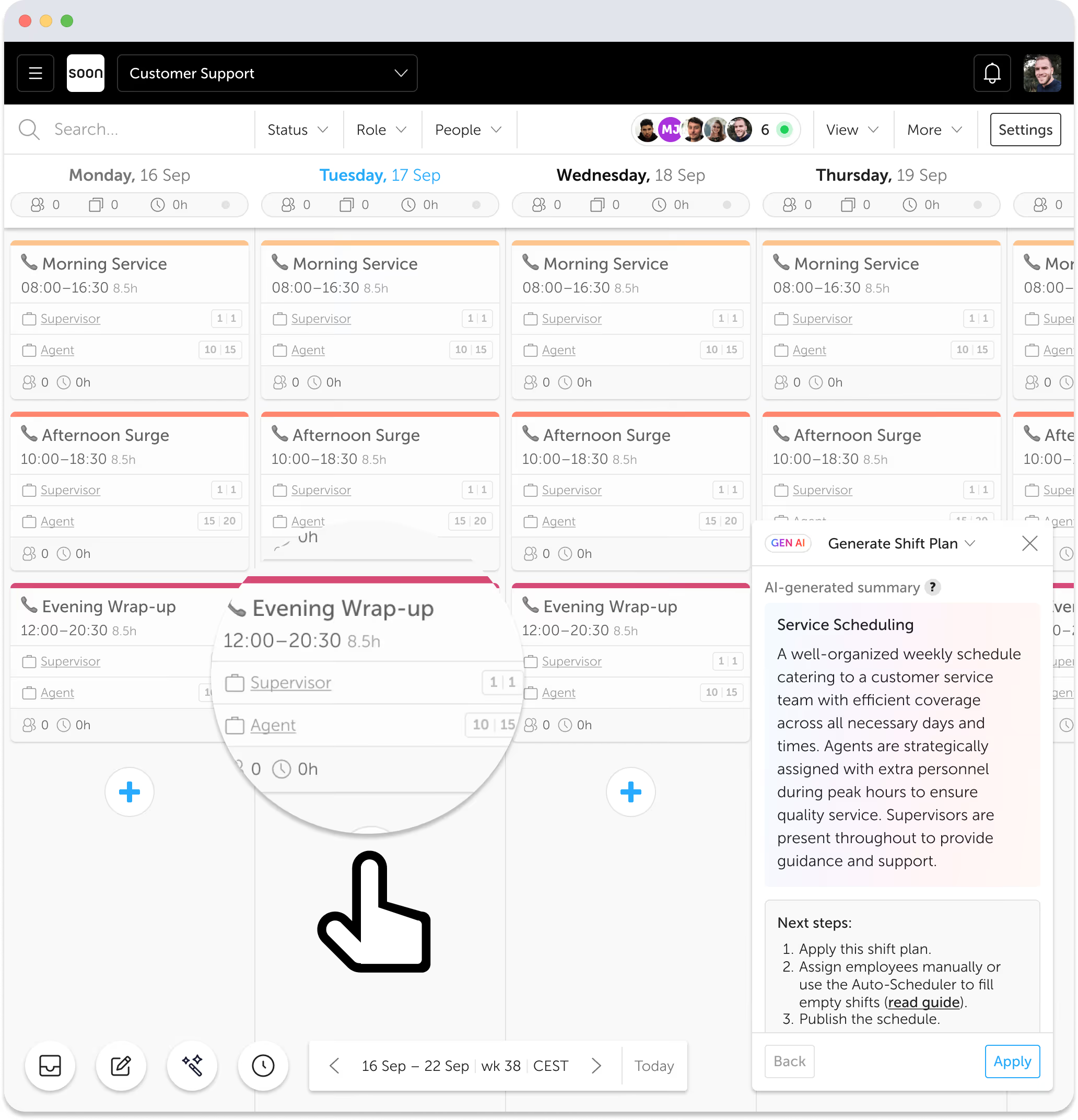
Create a Weekly Shift Framework with AI
Describe how your operation runs and generate a reusable shift framework you can adapt, test, and refine in minutes.
- Describe operations or upload existing schedules
- Generate tailored weekly frameworks
- Fast automated shift creation
- Quickly test different shift configurations
Auto-scheduling, with more control.
Set the rules, pick the goal, and let Soon do the hard part. Fast schedules, grounded in coverage, fairness, and compliance.
Explore auto-schedulingPrivacy and security in AI workforce scheduling
Trust is built into every feature. Your team keeps control while AI helps you move faster.
Data is encrypted
Personal data is encrypted to anonymous IDs before processing. Your team's information stays protected at every step.
You're in control
AI provides suggestions. All changes are reviewed before application. Nothing happens without your approval.
No data sharing
All processing happens within Soon's infrastructure. No external model training on your data, ever.

The future of AI in workforce management
AI in workforce scheduling is evolving fast. Soon is investing in proactive recommendations, pattern learning, predictive staffing, and conversational planning. The goal: a scheduling assistant that anticipates your needs before you ask.
Join the future nowDon't take our word for it
“The AI tools in Soon have redefined what we expect from workforce management. They help us plan smarter, move faster, and operate with clarity and confidence.”
Anika de Zwaan
Team Lead, Knab
“Soon drastically reduced the time spent on our planning process. Shift leaders are in total control.”
Floris Wakka
Lead Service, Knab
Frequently asked questions
What is AI scheduling software?
AI scheduling software uses artificial intelligence to automate and optimize workforce scheduling. It considers constraints like availability, contracts, skills, and labor law to create schedules faster and more accurately than manual methods.
How does Soon's AI help planners and managers?
Soon's AI assistant lets you make scheduling changes using natural language. Type what you need, and Soon handles the logic. It also generates shift frameworks, automates feedback analysis, and helps you make data-driven decisions.
Is it difficult to use?
Not at all. Soon's AI tools are designed to be intuitive. Just type what you want in plain language, review the suggestions, and apply. No technical knowledge required.
I have more questions. Can I speak to someone?
Of course. Reach out to us via the contact page or start a free trial and chat with our team directly inside the app.
Comparing vendors? See our guide to the best AI shift scheduling software.
Your next schedule could take 2 minutes.
Import your team, set your rules, hit auto-fill. Most teams are live the same day.
30 days free · No credit card required
Already have an account?Sign in
