Understand staffing coverage and gaps
Last updated August 28, 2026
Coverage compares the staffing requirement with the people on the schedule. The main calculation is Net = Scheduled - Required.
Read the daily summary
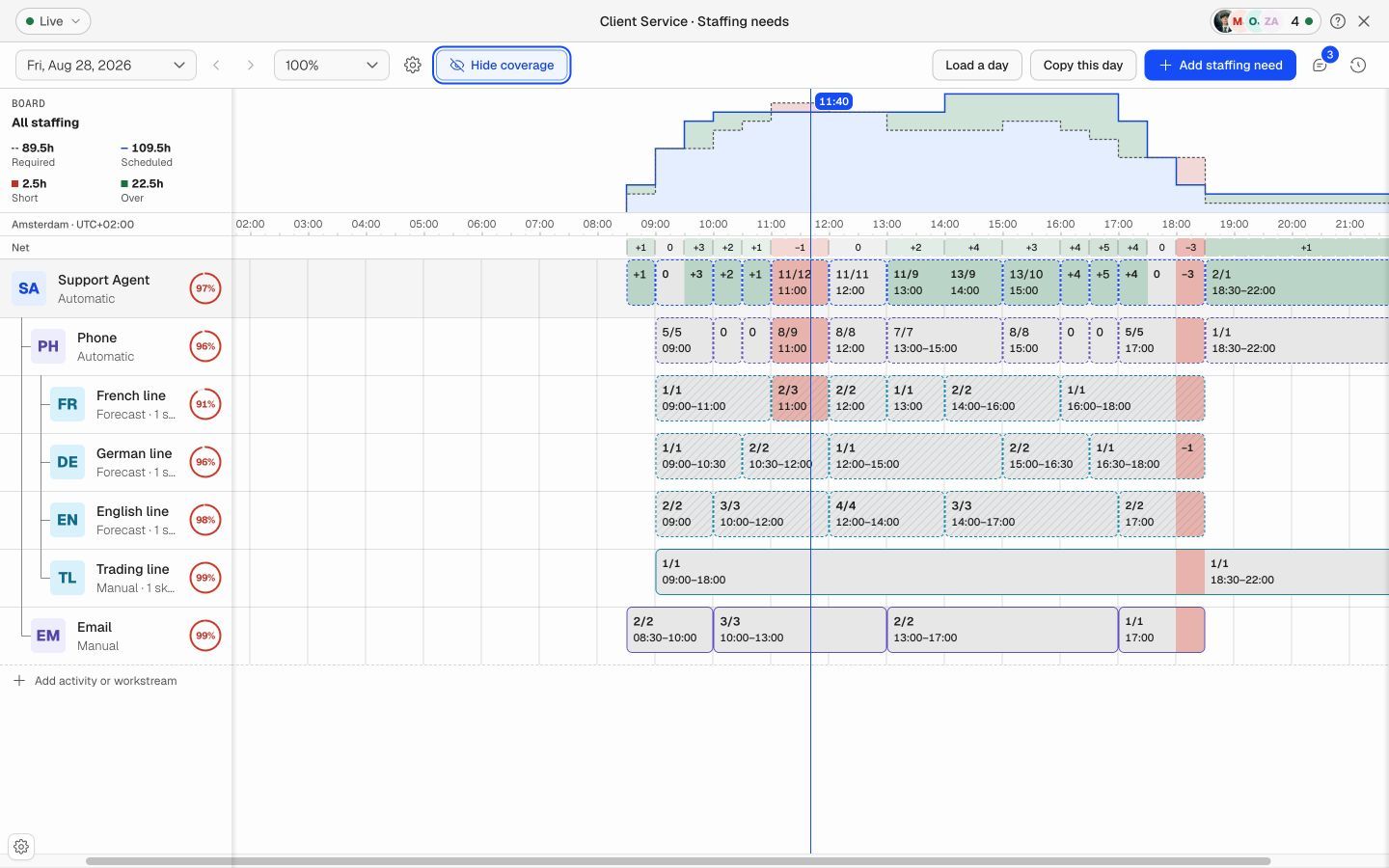
- Required: The total capacity needed for the day.
- Scheduled: The capacity from people on the schedule who count toward the selected requirement.
- Short: The amount of required capacity that is not covered.
- Over: Scheduled capacity above the requirement.
Read the timeline
- Negative Net: The interval is short.
- Zero Net: Scheduled capacity matches the requirement.
- Positive Net: The interval has more scheduled capacity than required.
Select Show coverage to display the Scheduled/Required value on demand bars and the coverage percentage for each line.
Check one requirement
- Select a role, activity, or workstream on the left side of the board.
- Review its coverage on the timeline. The summary and percentages now apply to the selected line.
- Check the short intervals and confirm that the scheduled people have the required role and skills.
Resolve a coverage gap
- Find the first interval with a Short value.
- Select the affected line to see the exact requirement.
- Check whether qualified people are available before or after the gap.
- Move or extend scheduled work, or assign another qualified person.
- Change the requirement only when the business demand has changed.
- Review coverage again and save the schedule.
Use the correct planning interval
A shorter planning interval shows short gaps more clearly. A longer interval gives a simpler view. Select 15, 30, or 60 minutes to match the way your operation plans work.
Important
A whole-board surplus can exist at the same time as a shortage for one role or workstream. Select the specific line before you decide that the day is fully covered.