Activities are now in Team
Team has a new Activities tab: one list for every activity your team runs during shifts, from breaks to calls. Set an activity up once and choose which boards it applies to, instead of creating it again on every board.
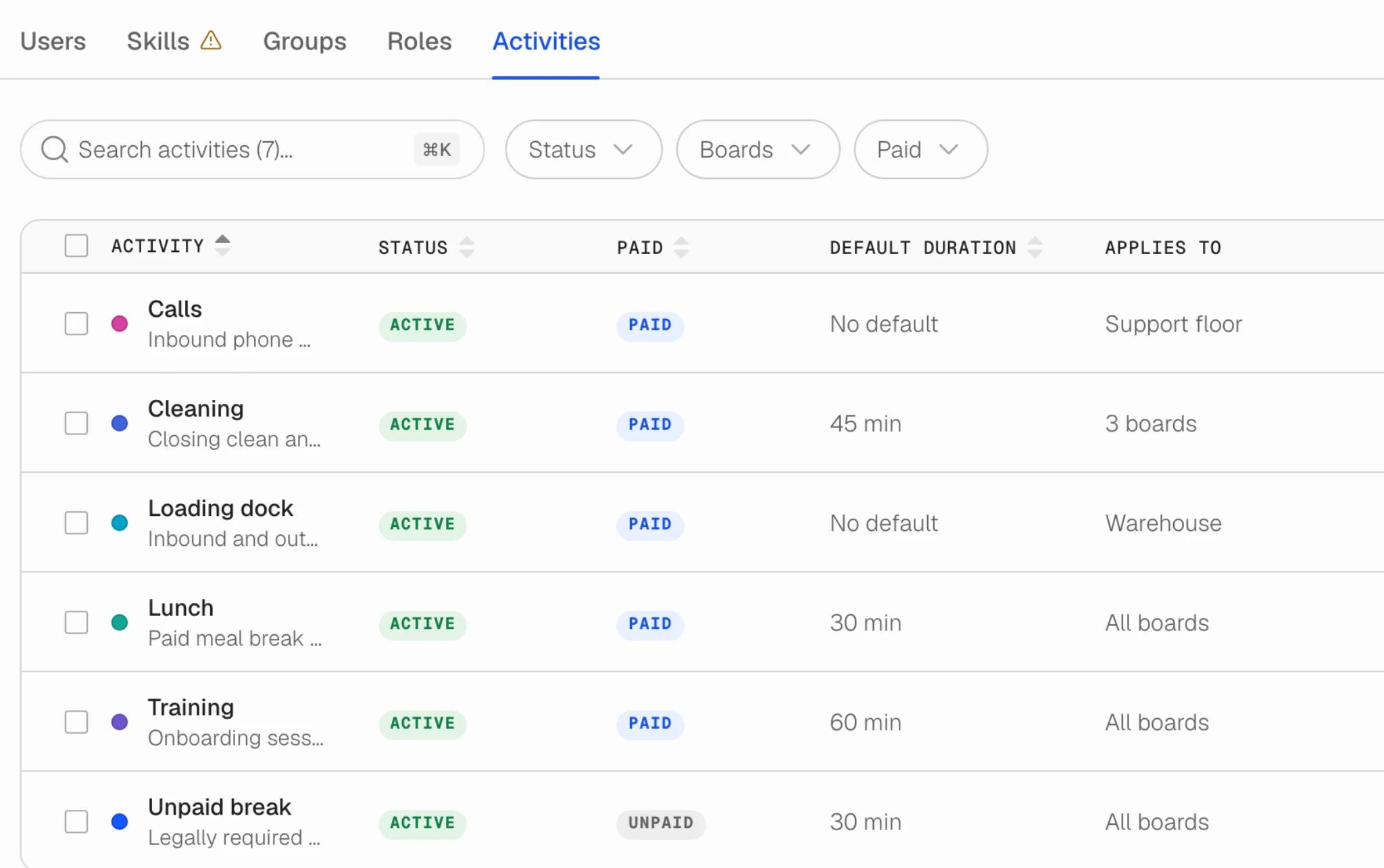
One list for the whole team
Until now an activity belonged to a board, so a team running five boards kept five copies of the same unpaid break, and correcting the duration meant correcting it five times. Now there is one "Unpaid break" for the whole team. Each activity carries its status, whether it is paid, a default duration and a colour, and the table searches and filters by status, boards and paid.
Applies to
Every activity has an Applies to setting: all boards, or only the boards that need it, so a warehouse activity does not clutter the support floor. Roles work the same way now. A role used to apply everywhere; it can be limited to specific boards, and a board offers only the roles that belong on it when you assign someone.
Nothing to redo
Everything you already set up keeps working as before, on the same boards.
Also improved on the Team page
- Groups and Roles can now be filtered by their members' roles and skills, so you can see which groups hold a given skill without opening each one.
- The Users table renders only the rows in view, which keeps scrolling smooth on a large team, and keeps your place and keyboard focus as you go.
- Tabs switch straight away and share one loading state, instead of each tab loading its own way.
- Skills puts Status in the second column, in line with every other table in Team.
- Fixes: the Groups tab showed English to everyone whatever their language, the "Last updated" column was cut off in German and French, and a click inside the Contract filter closed it instead of using it.
Open Team and go to the Activities tab, next to Users, Skills, Groups and Roles. Available to team owners and admins.