Contracts and Comments for every person
Open anyone in Team and you will find two new tabs. Contracts is where their working days, hours and hourly cost now live, each contract with its own dates, so nothing is lost when the terms change. Comments is where you and the other admins keep notes about that person.
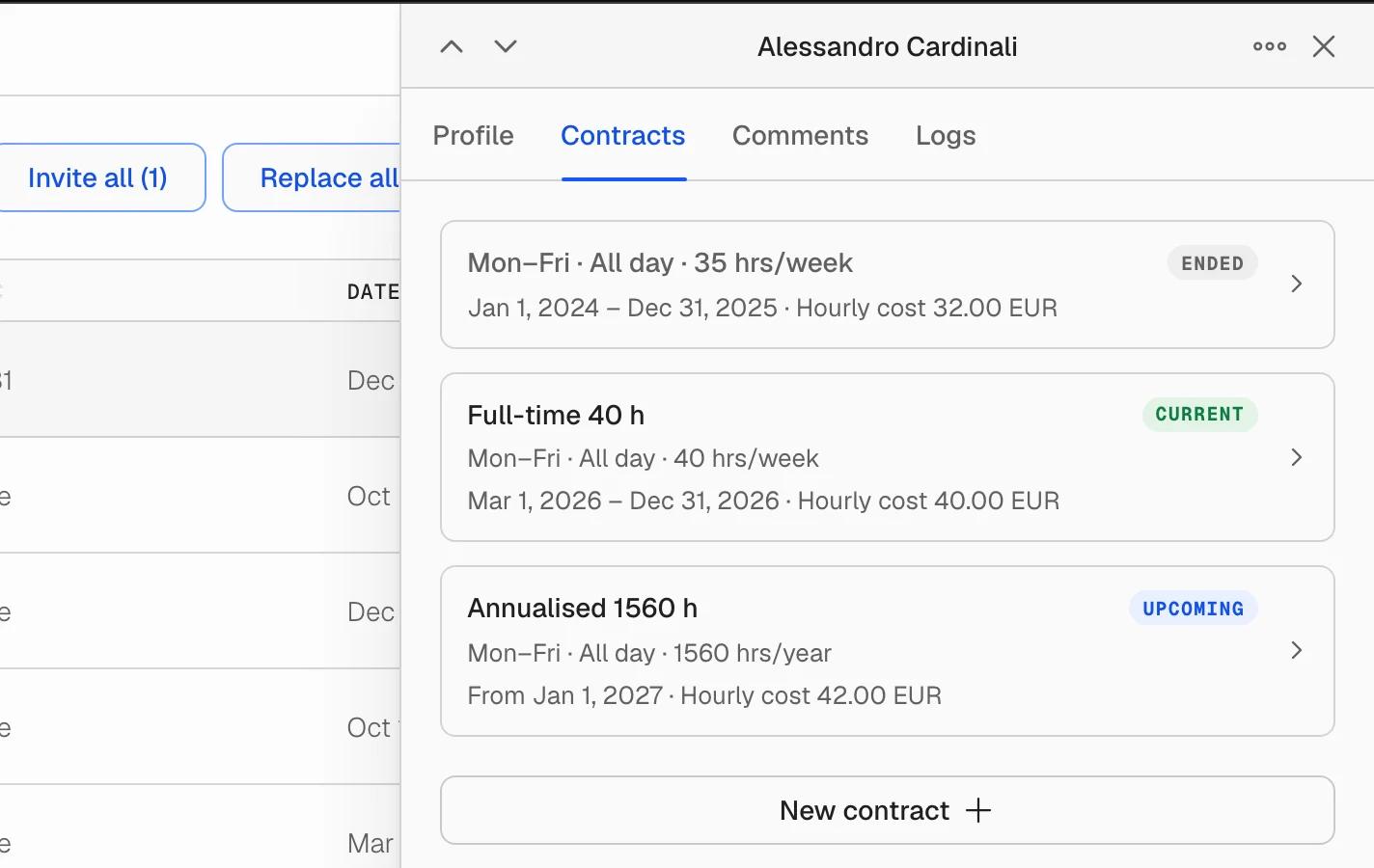
Contracts that keep their history
A person's past, current and upcoming contracts sit in one timeline. Adding a new one does not overwrite the old: the previous terms stay readable with the dates they applied, which is what you need when someone asks what they were owed last quarter.
- Working times per day, so a contract can say Monday to Thursday until 14:00 rather than a flat weekly number.
- A daily minimum, for contracts that guarantee a person a certain number of hours each day they work.
- Hours over a period: a week, a quarter, a year, or a rolling number of days.
- A country, so the rules that apply to the contract follow where the person actually works.
- Hourly cost, place of work and employee ID, held on the contract instead of scattered across the profile.
A heads-up before a contract ends
A contract that ends within 30 days is marked in the Users table, and the Ending soon filter narrows the list to just those people. Contract dates come through in the CSV export too.
Comments on each person
Comments is a thread on the person, for you and the other admins. Mention a colleague with @ to pull them in, spot unread threads from the badge on the row, and use the unread filter in the toolbar to find the ones still waiting on you. Long threads load in pages instead of all at once.
Also in this release
- Save the terms you use often as a contract template, then apply it to anyone instead of retyping it.
- Change contracts for many people in one pass with the bulk sweep.
- Every panel now calls its history Logs, the same word everywhere.
- The open tab is part of the address, so you can send a colleague a link that opens straight on someone's Contracts or Comments.
Open Team and choose a person. Available to team owners and admins.