Role
Who must be present
Support agents, nurses, dispatchers, supervisors, or any other role that owns the work.
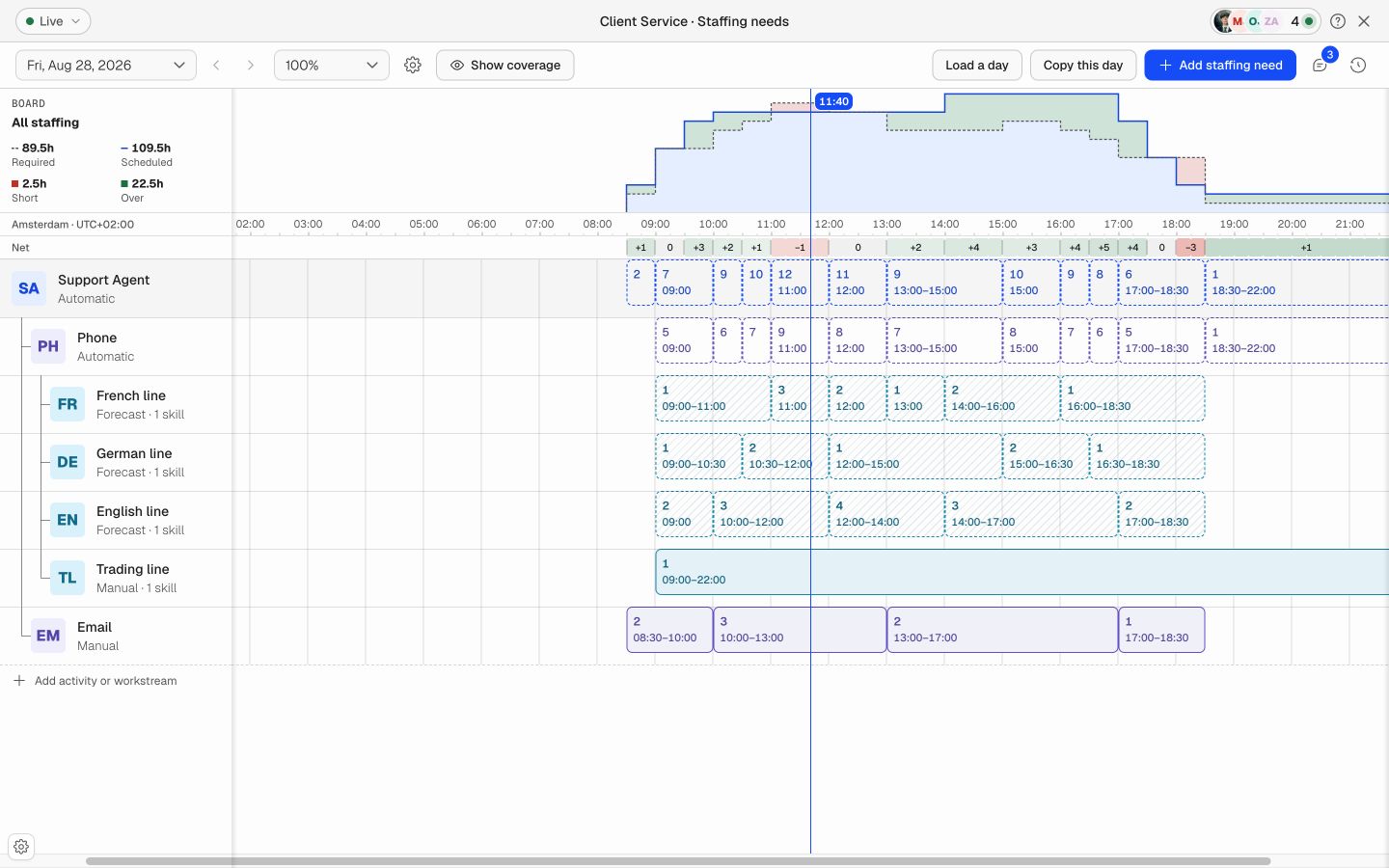
Define how many people each role, activity, or workstream needs through the day. Add required skills, use manual or forecast-driven values, and compare the plan with the people already scheduled.
Work
Role, activity, or workstream
Time
15, 30, or 60-minute planning
People
Required and scheduled FTE
Eligibility
Skills and minimum levels
A single headcount total is rarely enough. Soon lets planners build a clear hierarchy, then roll the work up without counting it twice.
Role
Support agents, nurses, dispatchers, supervisors, or any other role that owns the work.
Activity
Phone, email, front desk, packing, training, incidents, or another activity inside the role.
Workstream
A queue, language, location, customer, service line, or another stream with its own demand and skills.
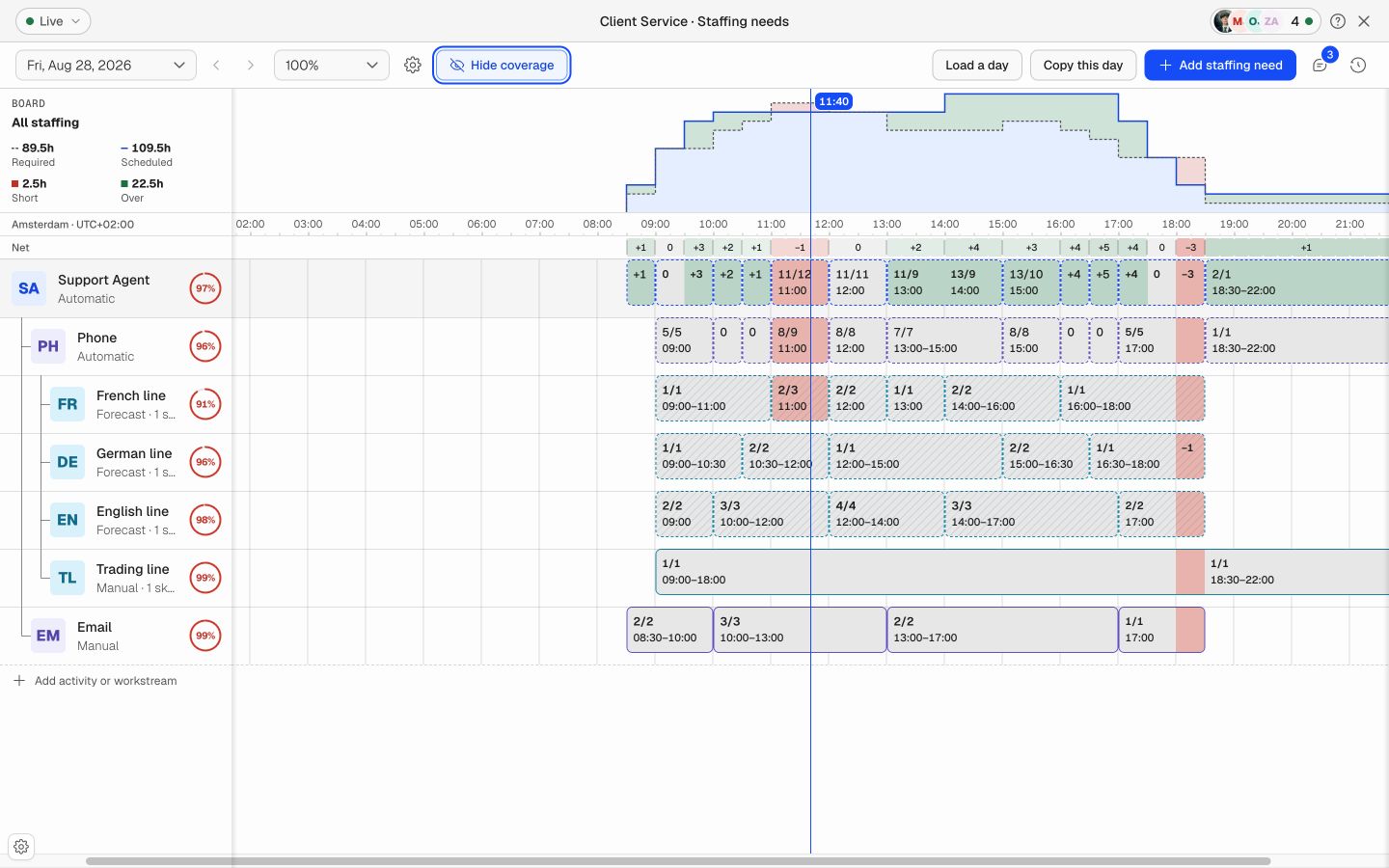
Soon compares scheduled coverage with required coverage at the same planning interval. Short periods stay red, covered periods stay clear, and surplus coverage remains visible instead of cancelling out a shortage somewhere else.
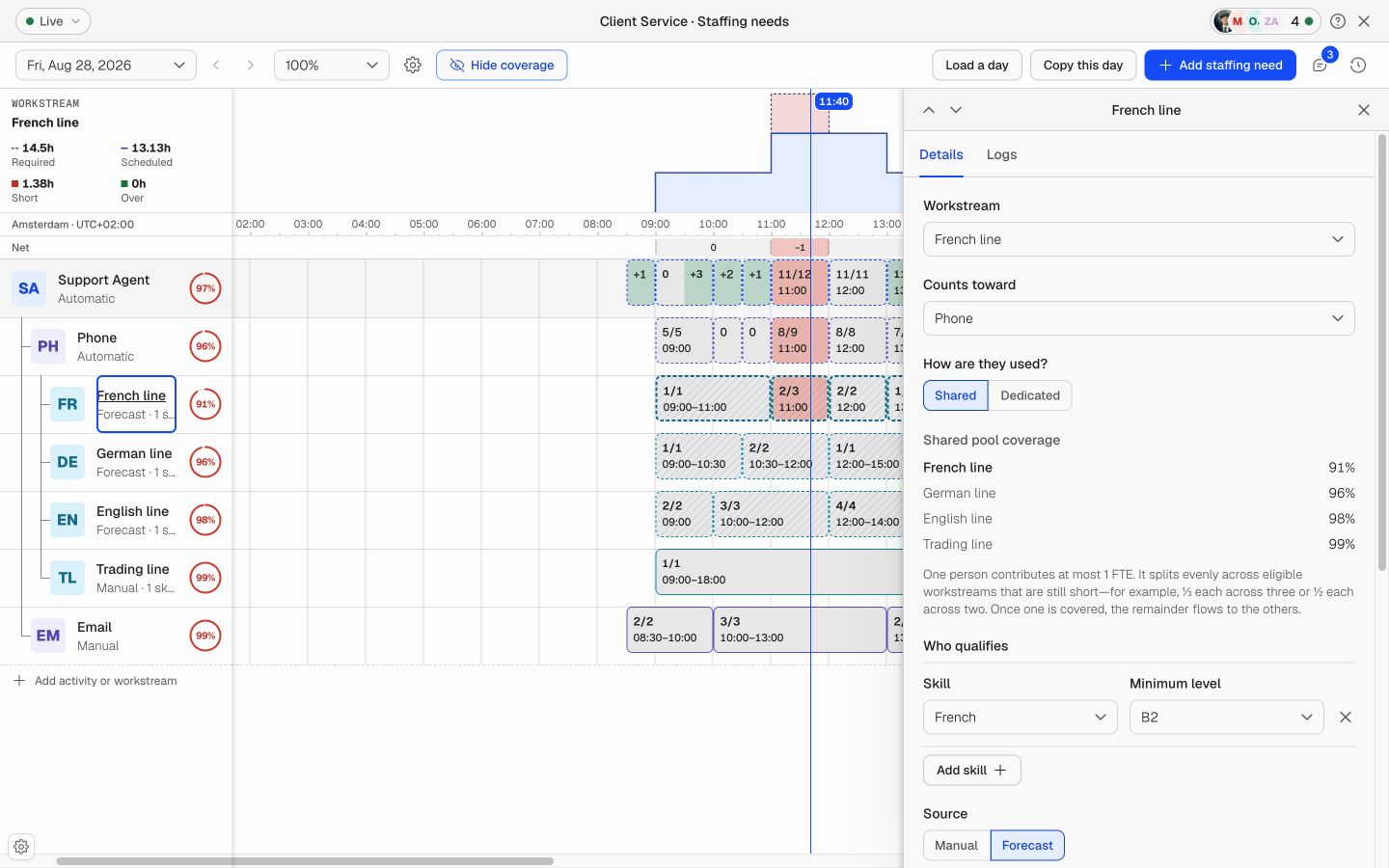
Add the skills and minimum levels that make a person eligible. A French queue can require French at B2. A clinic can require a current qualification. Only people who meet the requirement count toward that coverage line.
Shared workstreams can use the same qualified pool without pretending one person adds several full people. Dedicated workstreams reserve capacity when the work must stay separate.
Fixed posts, known routines, and demand-led queues do not need the same setup. Keep them together without forcing them through one calculation.
Draw or enter the exact number of people needed for known operating patterns, fixed posts, opening hours, and planned work.
Connect forecast output for demand-led work. When the forecast changes, the required staffing follows the new demand.
Let parent roles and activities total the work below them, so the complete requirement stays consistent without duplicate entry.
01
Start with a role, activity, or workstream. Keep the requirement at the level where coverage decisions happen.
02
Enter the required FTE for each time range, or draw the requirement directly on the timeline.
03
Require qualifications where they matter, then use manual values or connect a staffing forecast.
04
Compare required and scheduled coverage by interval, review exceptions, then save the plan.
Follow the complete process in the staffing requirements setup guide, or use the step-by-step Help Center article while you work in Soon.
Plan phone, chat, email, and back-office work by language, queue, skill, and interval.
Protect role and qualification coverage while demand, breaks, leave, and handoffs change through the day.
Set minimum coverage for dispatch, incidents, field work, and fixed operational posts.
Match staffing to opening hours, service peaks, locations, activities, and required responsibilities.
A practical setup process for roles, activities, workstreams, skills, sources, and time ranges.
Read the guide →
Convert demand, handling time, occupancy, shrinkage, and service targets into required staffing.
Read the guide →
Turn requirements into a coverage plan with scheduled people, backup rules, and clear gap actions.
Read the guide →
Import your team, set your rules, hit auto-fill. Most teams are live the same day.
Free trial of 14, 30 or 60 days by plan · No credit card required
Already have an account?Sign in