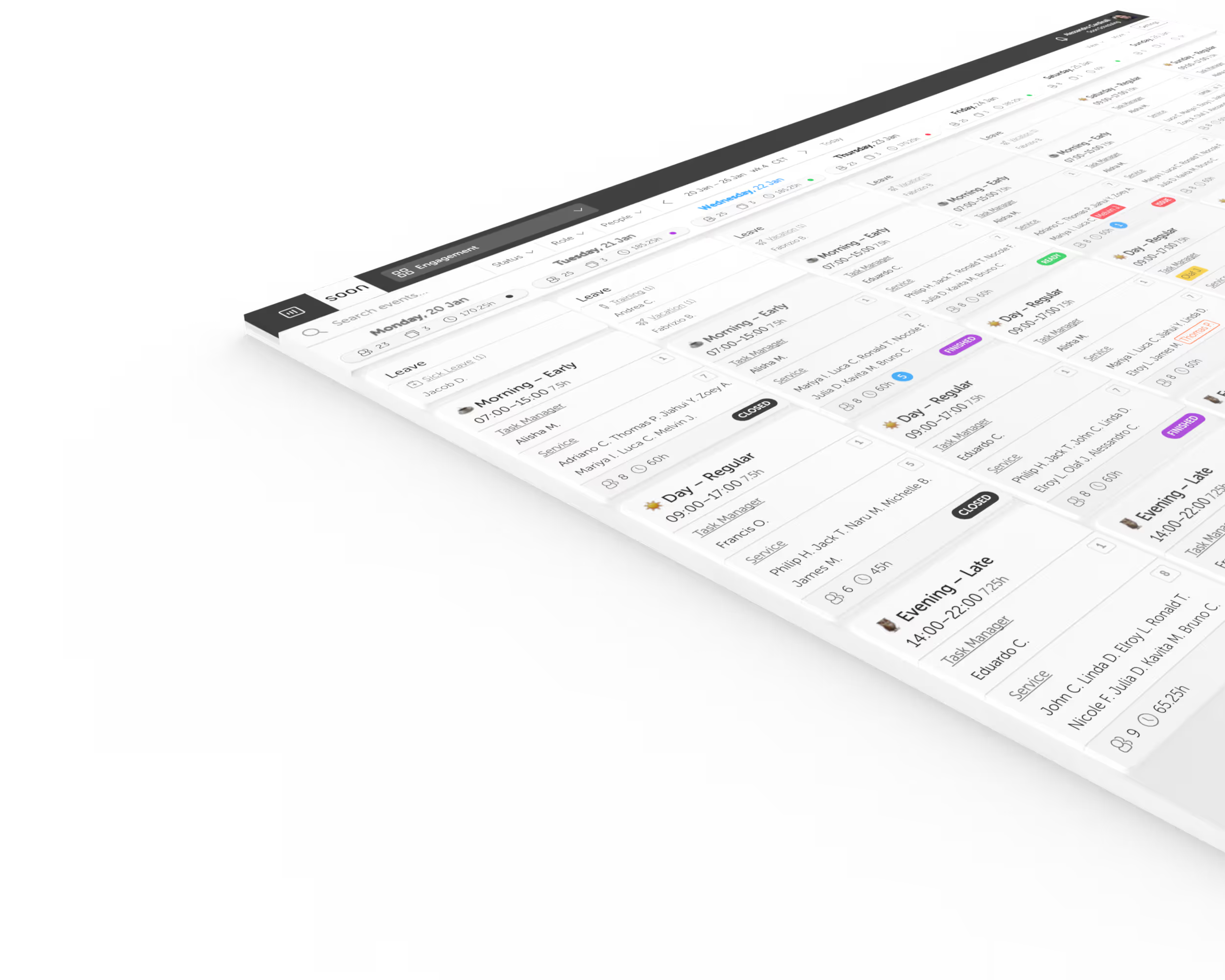
Employee availability that starts from the contract.
Each person's working days and times are already their availability. People change only the dates that are different, planners approve them day by day, and the schedule board knows who can work when you staff a shift.
Start Free Trial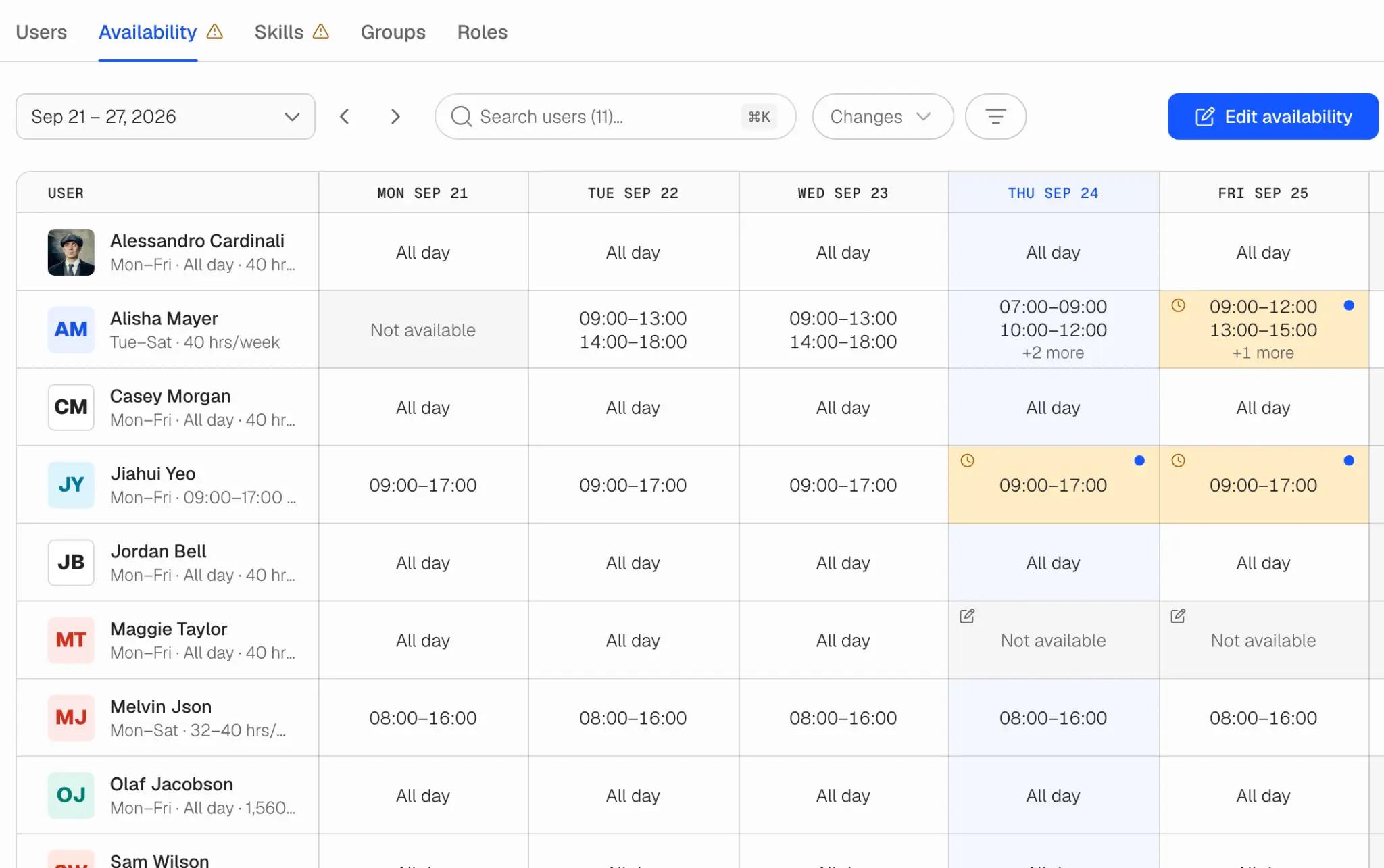
Availability without the weekly chase
The contract is the starting point
A person contracted Monday to Friday, 09:00 to 17:00, is available Monday to Friday, 09:00 to 17:00, without entering anything. Nobody fills in an ordinary week. When the contract has no working days, the day shows Not set, so the record never claims more than anyone told you.
The whole team's week on one screen
The Availability tab in Team shows every person's week beside the contract it comes from: hours, All day, Not available or Not set. Changed days and pending requests are marked, and a total under each day counts the people and hours available.
Your rule for who changes it
Colleagues request and a planner approves, colleagues set it themselves, or only planners change it. Put individual people on a different rule, and set how much notice a request should give and how far ahead people can enter.
Decide day by day
A request for five days is five decisions. Approve some, decline others, or approve with different hours. Approve or decline several requests at once when the queue is long. Late requests are flagged, never refused.
The conversation stays on the request
Every request has its own messages. The question, the answer and the decision sit together, so nobody has to find a chat thread three weeks later to see why a Friday was declined.
Every day explains itself
Open any day to see where its hours come from: the contract, a change approved by whom and when, or a change a planner made at the person's request. The log keeps what happened on that day, including what was replaced.
Everyone else uses My Schedule
Each day shows the hours from the contract, any preference and any request. Change availability or add a preference from the day itself.
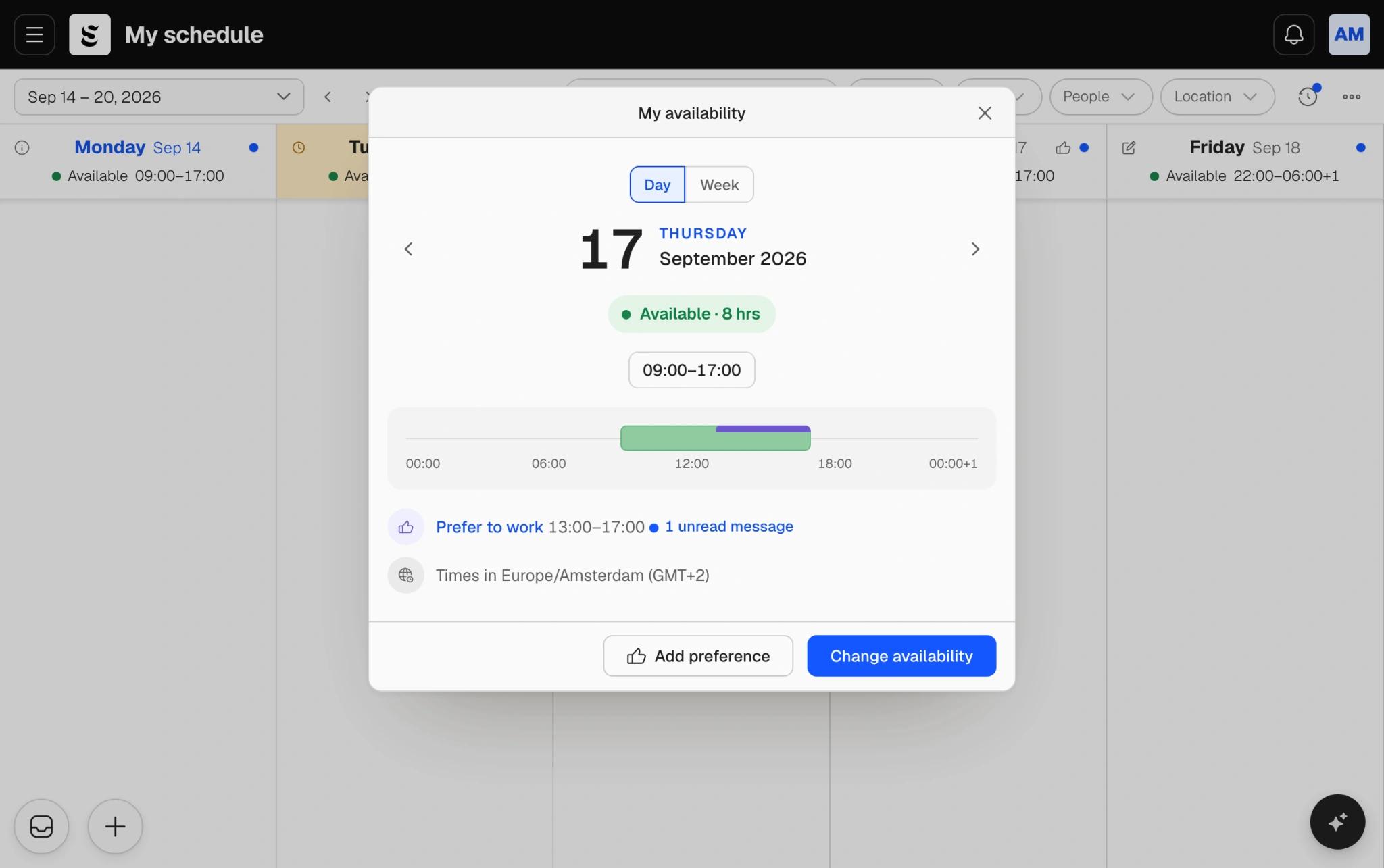
A day in My Schedule: contract hours, a preference, and the two ways to change it.
Can work, and would rather work, are different answers
Preferences inside availability
Someone can be available from 07:00 to 19:00 and still prefer mornings. A preference says which available hours suit a person best, without changing when they can work.
No approval, no extra work
Preferences save straight away and never wait for a planner, whichever rule your team uses for availability. A team that does not want them turns them off.
Constraints stay constraints
Mixing "I can't work Tuesday" with "I'd rather not work Tuesday" either breaks rules or ignores real conflicts. Soon keeps them apart, so a hard limit is never mistaken for a wish.
How it fits with the rest of Soon
Staff use My Schedule
People see their availability across the top of their week, pick a day, set the hours they can work or say they cannot, and follow the planner's reply. They are notified when a request is decided.
The board knows who can work
When you add people to a shift, the people picker flags anyone the shift falls outside. Only availability in force counts: a pending request or a preference does not make someone available.
Separate from leave
Availability says when someone can work. Leave is time off, with its own requests and approvals, and keeps working as before. Neither changes the shifts a person already has.
Stop collecting availability in a spreadsheet
Create a team, add contracts, and everyone's week is already filled in.
Start freeFrequently asked questions
Where do people set their availability?
In My Schedule, on the web or on their phone. Their availability runs across the top of the week; they click a day to change it, add a preference or follow a request. Planners manage everyone's in the Availability tab in Team.
Do availability changes need approval?
That is your choice. By default colleagues request and a planner approves each date. You can let colleagues set it themselves, or make planners the only ones who change it, and put individual people on a different rule from the team.
What is the difference between availability and a preference?
Availability is when someone can work. A preference is which of those hours they would rather work or not work. Preferences never change availability and never need approval.
Is availability the same as leave?
No. Leave is time off and goes through leave requests as before. Availability is the window someone can be scheduled in. Changing it does not move shifts they already have.
Can I require notice for availability changes?
Yes. Set the number of days' notice a request should give. People see it before they send, and a request with less notice is marked Late for the planner rather than blocked.
What if someone has no fixed working days?
Their days show as Not set until they, or a planner, say when they can work. Soon does not assume they are available, so a gap in the record looks like a gap.
Your next schedule could take 2 minutes.
Import your team, set your rules, hit auto-fill. Most teams are live the same day.
30 days free · No credit card required
Already have an account?Sign in