Skip to content
Solutions

Employee Scheduling Software for Teams Moving Beyond Excel

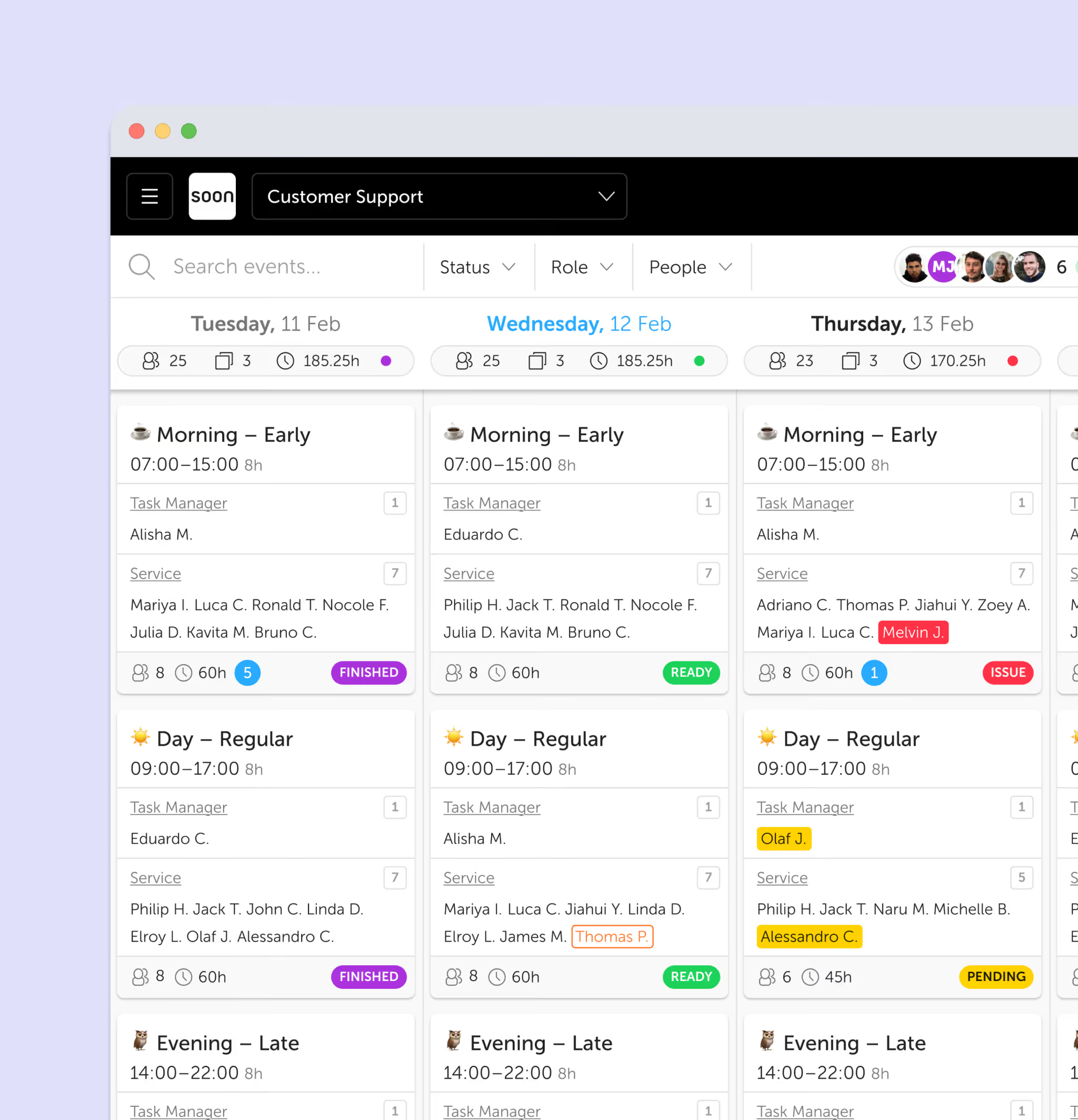
Build schedules faster, manage availability and time off in one place, fill open shifts with less admin, and give employees clear self-service for swaps and updates. Soon is built for teams that want to replace spreadsheet scheduling with a workflow managers can actually trust.

  • Build schedules faster with a clear weekly view
  • Track availability and time off in the same workflow
What this usually means

What employee scheduling software should solve

Employee scheduling software should make the weekly scheduling workflow easier to run from start to finish. Instead of handling availability in messages, time-off requests in email, and shift changes in spreadsheets, managers should be able to build, publish, update, and manage schedules in one place.

For most teams, that means getting out of Excel, reducing manual admin, and giving employees a clearer way to see updates and handle routine requests. The best tools also support shift scheduling, auto-scheduling, employee self-service, and connected leave management.

Build schedules faster with a clear weekly view

Track availability and time off in the same workflow

Fill open shifts without losing coverage

Let employees request swaps and updates through self-service

Keep managers in control of rules, approvals, and visibility

Read this next

Who employee scheduling software is actually for

Employee scheduling software is most useful for teams that have outgrown spreadsheets, shared calendars, or lightweight tools that only help publish shifts. That usually happens when weekly scheduling starts involving rotating patterns, different contracts, multiple roles, fairness concerns, and frequent last-minute changes.

A team does not need to be huge for this to matter. A team of 15 or 20 people can already be difficult to schedule if availability changes often, time off overlaps, or coverage is hard to see. For growing teams, the real issue is usually not headcount alone. It is how many moving parts the manager has to keep in their head every week.

If that sounds familiar, our interactive scheduling guide and our breakdown of the best employee scheduling software are both useful next steps.

Where it breaks

Why Excel and disconnected tools stop working

Spreadsheets can hold a schedule, but they cannot run the workflow around it. Managers copy last week, update names manually, send changes in chat, and hope everyone is looking at the same version. Once time-off requests, open shifts, and shift swaps start coming in, the process becomes slow and fragile. If you are weighing that tradeoff directly, see Soon vs Excel.

That is where teams start losing time every week. Managers chase availability, patch coverage gaps manually, and spend hours checking whether the latest edit created a new conflict somewhere else. The schedule technically exists, but it becomes harder to trust.

The problem gets worse after the schedule is published. Someone calls in sick, a shift needs cover, or a manager approves leave without seeing the full impact. If the scheduling process still depends on messages, memory, and spreadsheets, the team becomes reactive fast.

Read this next

How Soon makes weekly scheduling easier to run

Soon gives managers a clear way to create, review, and adjust schedules without rebuilding everything from scratch. Teams can reuse patterns that already work, assign the right people faster, and keep availability, leave, and changes close to the schedule instead of scattered across separate tools.

Managers can build the week faster, approve time off with schedule context, and cover open shifts without losing visibility. For teams with changing demand, Soon also supports auto-scheduling to reduce repetitive assignment work while keeping managers in control. When someone is out or a shift opens up, managers can see the gap, choose the right person, and keep the updated schedule visible to the team.

This is also where employee self-service matters. Employees can view their schedule, manage availability, and request swaps without turning every routine change into a manager-only task.

What to fix

Which employee scheduling software features matter most

Not every scheduling tool solves the same problem. Some are built for simple rota publishing. Others are better for teams that need stronger rules, better visibility, and less admin once the schedule is live. When evaluating options, these are the features that usually matter most.

Availability and time-off management in the same workflow as scheduling

Rule-based scheduling for hours, roles, and coverage requirements

Shift swaps and open-shift workflows with clear approvals

Employee self-service so routine requests do not bottleneck managers

Mobile access so schedules and changes are easy to check

Visibility into coverage, gaps, and staffing pressure points

Automation that supports planner judgment rather than hiding it

What this usually means

Who Soon is best for, and who it is not for

Soon is best for growing teams that want to get out of spreadsheets and disconnected tools without taking on the complexity of heavyweight workforce management software. It works especially well for teams that need scheduling, availability, leave, shift changes, and day-to-day visibility to work together.

It is a strong fit when managers are spending too much time patching schedules manually, when employees need a clearer self-service experience, or when coverage mistakes are becoming expensive.

It may be more than you need if you only run a very small team with a simple fixed rota. In that case, a spreadsheet may still be enough for now. On the other end of the spectrum, if you are comparing broader planning needs like forecasting and intraday coordination, it can help to look at our workforce scheduling software page as well.

Read this next

How to choose employee scheduling software

Start with your actual weekly scheduling complexity, not just team size. Look at how often schedules change, how many rules matter, how much manager time is spent on updates, and whether employees can handle routine requests themselves.

Then look closely at what happens after the schedule is published. Can the tool handle absences, leave, swaps, open shifts, and partial-day changes cleanly, or does it mostly help you publish shifts and leave the rest to manual coordination?

If you want a structured buyer view, compare your options in our guide to the best employee scheduling software. If you want to see the product workflow directly, start with shift scheduling or explore how teams use Soon in customer stories.

FAQ

A few questions that usually come next

What is employee scheduling software?

Employee scheduling software helps managers create, publish, and update employee schedules in one system. It usually includes availability tracking, time-off handling, shift swaps, open-shift coverage, and employee self-service.

What are the benefits of employee scheduling software?

The main benefits are faster scheduling, fewer coverage mistakes, better visibility into who is working when, easier handling of swaps and absences, and less manual admin for managers.

Is employee scheduling software worth it for growing teams?

Yes. Growing teams usually feel the pain first because spreadsheets and lightweight tools become harder to trust as availability changes, leave requests overlap, locations multiply, and scheduling rules become more complex.

Which employee scheduling software features matter most?

The most important features are availability management, time-off handling, shift swaps, rule-based scheduling, employee self-service, mobile access, and clear visibility into coverage and open shifts.

Who is Soon best suited for?

Soon is best for growing teams that want stronger weekly scheduling, self-service, leave handling, and visibility without taking on the overhead of a heavyweight workforce management suite.

How should I evaluate Soon?

Start with the shift scheduling product page if you want to see the core workflow, or compare plans on the pricing page if you are already evaluating software options.

Your next schedule could take 2 minutes.

Import your team, set your rules, hit auto-fill. Most teams are live the same day.

Try Soon free

30 days free ยท No credit card required

Already have an account? Sign in