Already on Genesys CX 3 or 4
Genesys Cloud WFM
Workforce management is on the edition you are already paying for. Check the tier before you add another contract.
Buyer guide, updated September 2026
Ten tools, sorted by the situation they fit. Every price links to the vendor that published it. For the category itself, rather than the shortlist, see contact center workforce management.
Soon publishes this guide and is one of the products in it. Tools are not ranked from best to worst. Prices and sources were last checked on .
The right contact center WFM depends on the platform you already run and the size of your team, more than on a feature list. Pick the row that matches your situation.
Already on Genesys CX 3 or 4
Workforce management is on the edition you are already paying for. Check the tier before you add another contract.
One WEM suite
Large centers that want quality, recording, coaching and WFM from one vendor.
Already on the UKG suite
The natural choice when HR, payroll and timekeeping are already UKG. One vendor, data already there.
Support team plus AI agents
Published per-agent WFM prices, a platform fee to ask about, and an AI-agent line on the same vendor.
Specialist or outsourcer
Dedicated contact center WFM from a European vendor. Quote only.
In-house, about 10 to a few hundred
Forecasting and activity-level day planning, a published price, and the founders plus the people who build it available to onboard you and support you live.
Under about 15, fixed shifts
Included with Teams. Enough when you are not staffing to interval demand yet.
CCaaS-native WFM is often included in a higher tier, or sold as an add-on on a lower one. Genesys is the clearest public example: workforce management is on the CX 3 list, and workforce engagement is an add-on on CX 1 and CX 2. Check that matrix before you add a second contract. A separate tool earns its place when the built-in module cannot plan email, back office and training in the same day as calls, when the tier upgrade hits every user, or when the setup needs a WFM analyst you do not have. Customer support scheduling is the neighboring problem when the work is tickets more than a phone queue.
WFM is forecasting, scheduling and intraday management. Intraday management means re-planning the day as volume, absence and backlogs move. WFO or WEM adds quality management, recording and coaching. Real-time adherence, the live comparison of agent state to the schedule, is its own question: some suites include it, and not every scheduler does. If quality and recording already live in the CCaaS, a WFM-only tool is often the smaller contract. If you need them in the same signature as the schedule, you are shopping for NICE, Verint, Calabrio or Playvox.
Under about 15 people, with fixed shifts, Microsoft Shifts or a spreadsheet plus Erlang C can still be the whole system. From about 15 to 100, the usual break is interval demand plus non-phone work, and the shortlist moves to a published-price WFM tool. From about 100 to 500, ask who will administer it: a planner without WFM training needs a different product from a center with a WFM analyst. Above about 500, suite depth, multi-site rules and a formal buying process start to dominate, and Soon is unlikely to be the right contract. Precomputed Erlang answers and a contact center shrinkage calculator are useful at every size. Shrinkage is the paid time that is not on the queue.
Ask every vendor who you will work with after the contract starts, and ask for one feature they shipped because a customer asked. At a large vendor that person is often an account manager or a partner. Assembled's pricing page, for example, lists a designated account manager, a shared Slack channel and quarterly business reviews, with the tiers marked on the matrix. At a smaller vendor you may be talking to the people who build the product. That is a buying criterion, not a slogan. The questions below are the list to take into every call.
Use this as the shortlist, then read the matching reviews. It is a decision table, not a ranking.
| If this is true | Shortlist first | Why |
|---|---|---|
| You are on Genesys Cloud CX 3 or 4, NICE CXone, or another CCaaS that bundles WFM | Your platform's own WFM | You may already be paying for it. Check which tier includes it before you add a contract. |
| You need quality, recording, coaching and WFM from one vendor, at 300 agents or more | NICE, Verint / Calabrio, Playvox | These are WEM suites. A WFM-only tool will not replace recording or QA. |
| HR, payroll and time already run on UKG | UKG Pro Workforce Management | One vendor, existing data, and a security review that has already passed. |
| A digital support team also wants AI agents from the same vendor | Assembled | Published WFM tiers plus a separate AI-agent line. Ask for the platform fee. |
| You are an outsourcer, or you want a specialist contact center WFM vendor in Europe | Peopleware, Calabrio | Contact center and outsourcer work is the job these vendors describe. |
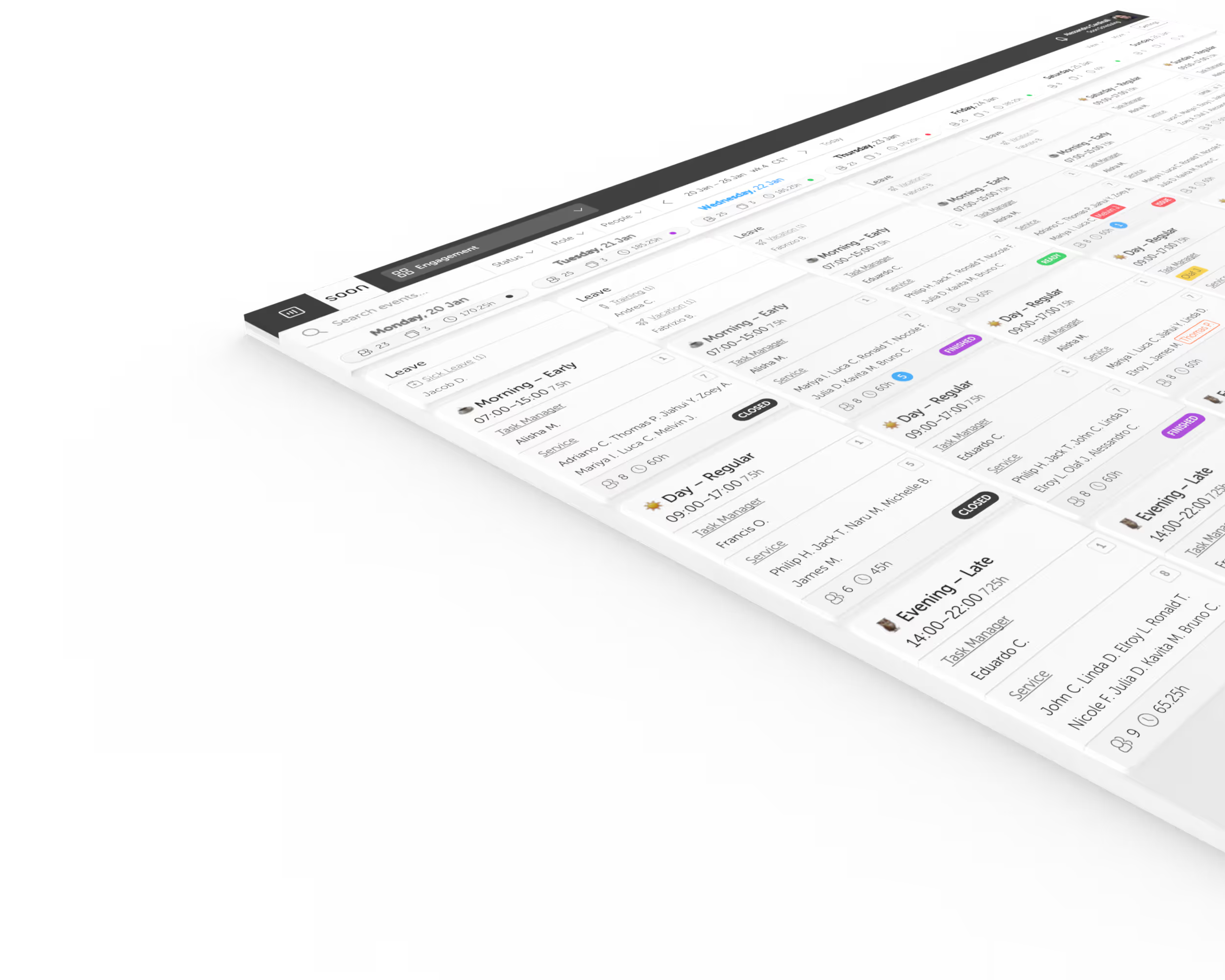
| An in-house or multi-client team of about 10 to a few hundred plans calls plus other work, and wants to be live quickly | Soon | A published price and activity-level day planning. Start on your own, or have the founders and the people who build the product onboard you and support you once you are live. |
| Under about 15 agents, fixed shifts, already on Microsoft 365 | Microsoft Shifts, or a spreadsheet plus Erlang C | WFM may be more product than the team needs today. |
These products are not ranked. The order follows the situation: enterprise suites, then CCaaS-native WFM, then specialist and support WFM, then UKG, then Soon, then the Microsoft tool many small teams start with.
| Product | Fits | Starting price | Go-live | Forecasting |
|---|---|---|---|---|
| NICE CXone Mpower Enterprise CCaaS suite | Large, multi-site centers that want WFM, quality, recording and analytics from one CCaaS vendor | $110 to $249 per agent per month | Not published. A third party estimates 3 to 6 months | Omnichannel forecasting on the WFM page |
| Verint WFM Enterprise CX automation | Enterprise centers that want WFM inside a broad CX automation platform | Quote only | Not published for a full WFM rollout. A third party estimates 3 to 6 months | AI forecasting described |
| Calabrio ONE Enterprise and upper mid-market WEM | Upper mid-market to enterprise centers that want WFM plus quality and analytics | Quote only | Vendor says a few weeks. A third party estimates 2 to 4 months | Forecasting described on the product page |
| Genesys Cloud WFM CCaaS-native WFM | Teams already on Genesys Cloud CX, especially CX 3 or CX 4 | Included from CX 3 at $155 | Not published | AI forecasting on the pricing matrix |
| Playvox by NICE WEM for digital-first support teams | Digital-first support teams that want WFM, QA and coaching considered together | Quote only | Not published | No current vendor feature page found |
| Assembled Support WFM and AI agents | Support teams on Zendesk, Intercom or Salesforce that want WFM and AI agents from one vendor, including BPO management | WFM from $25 per month, plus a platform fee | Vendor FAQ: many customers within a month | ML forecasting listed on the pricing page |
| Peopleware Specialist contact center WFM | Contact centers and outsourcers that want a specialist WFM vendor in Europe | Quote only | Not published | No public product-feature page found |
| UKG Pro Workforce Management Workforce suite | Organizations that already run UKG for HR, payroll and timekeeping | Quote only | Analyst and partner estimates of 6 to 15 months | Not documented on the DWO page checked here |
| Soon WFM for in-house and BPO teams, self-serve or guided | In-house and BPO or multi-client teams of roughly 10 to a few hundred agents that want forecasting, automatic scheduling and activity-level day planning, and want to work with the people who build the product | From $4 per user per month, billed yearly | Same day for most teams, within a week for larger teams. Enterprise can take longer | Interval forecasting on Scale, including Erlang for contact work |
| Microsoft Teams Shifts Included with Teams | Small teams with fixed shifts that already pay for Microsoft 365 | Included with Teams | Available with Teams | No demand forecasting documented |
Prices can change. Confirm the licence unit, taxes, minimums and which tier includes WFM before you compare a suite price with a per-user WFM price.
Fits Large, multi-site centers that want WFM, quality, recording and analytics from one CCaaS vendor
Go-live
Not published. A third party estimates 3 to 6 months
Forecasting
Omnichannel forecasting on the WFM page
Trial
Not published as self-serve
NICE CXone Mpower is the suite large contact centers already have on the shortlist. The WFM product page describes forecasting, scheduling, adjusting staffing, adherence tracking and intraday reforecasting, and a back office add-on for work that is not on the phone. NICE also owns Playvox. That ownership is covered in the Playvox entry.
The pricing page lists five CXone Mpower suites at $110, $135, $169, $209 and $249 per agent per month. Use the feature matrix on that page to see which suite includes workforce management. A low suite price is not a WFM price until that cell is checked.
NICE does not publish an implementation time. Comms Advisor, a third-party review, estimates 3 to 6 months for NICE WFM. Treat that as an estimate, not a NICE commitment. A head-to-head with Soon is on Soon vs NICE.
NICE lists CXone Mpower suites at $110, $135, $169, $209 and $249 per agent per month. The Ultimate card also shows $249 / $0.25, so confirm the unit on the quote. The pricing page has a workforce section in the feature matrix. This guide does not say which suite includes WFM, because the public matrix has to be read on the day you buy.
Fits Enterprise centers that want WFM inside a broad CX automation platform
Price
Go-live
Not published for a full WFM rollout. A third party estimates 3 to 6 months
Forecasting
AI forecasting described
Trial
Not published as self-serve
Verint sells WFM as part of a wider CX automation platform. The Workforce Excellence page describes AI forecasting, schedules that can change in real time, and self-service shift changes inside business guardrails. It also says the product runs on top of an existing CCaaS.
There is no public list price. Comms Advisor estimates 3 to 6 months to implement Verint WFM. That is a third-party estimate. Verint's own FAQ says many customers see measurable outcomes in as little as 30 days when they start with a focused deployment such as the TimeFlex Bot. That sentence is about a focused deployment, not a full WFM rollout.
Thoma Bravo completed its acquisition of Verint on 26 November 2025 and combined it with Calabrio. On 18 February 2026 the combined organization said it would use the Verint name, and that the Calabrio product name would continue. A head-to-head with Soon is on Soon vs Verint.
Verint does not publish a WFM price. Budget from a quote, not from a list price.
Fits Upper mid-market to enterprise centers that want WFM plus quality and analytics
Price
Go-live
Vendor says a few weeks. A third party estimates 2 to 4 months
Forecasting
Forecasting described on the product page
Trial
Not published as self-serve
Calabrio ONE is the upper mid-market name that usually sits next to Verint and NICE when a buyer wants WFM plus quality. The Calabrio WFM page, now on Verint's site, describes forecasting, planning, scheduling and intraday management. It says most implementations finish over a few weeks. Ask the account team to scope that against your CCaaS and your history.
There is no public list price. Vendr publishes negotiated-price data for Calabrio. Use it as a third-party estimate of what other buyers paid, not as Calabrio's price. Comms Advisor estimates 2 to 4 months, which is longer than the vendor's "few weeks". Put both numbers in the plan and make the vendor reconcile them.
The corporate name is Verint. The 18 February 2026 release says the Calabrio product name continues, and the product page says customers are not being forced to migrate.
Calabrio does not publish a list price. Vendr publishes negotiated-price data. That is a third-party dataset, not a Calabrio rate card.
Fits Teams already on Genesys Cloud CX, especially CX 3 or CX 4
Go-live
Not published
Forecasting
AI forecasting on the pricing matrix
Trial
Not published as self-serve
If the contact center already runs on Genesys Cloud, start on the Genesys pricing page before you shop for another WFM tool. CX 3 is listed at $155 and its included list names workforce management plus forecasting and scheduling. CX 4 is listed at $240 and its included list names forecasting and scheduling. CX 1 is $75 and CX 2 is $115. The comparison table marks workforce engagement management, AI forecasting, AI scheduling and monitoring and adherence as add-ons on CX 1 and CX 2.
The same page explains named, concurrent and hourly licences. The dollar figures above are the edition prices as listed. Confirm whether your quote is per named user, per concurrent user, or hourly before you turn them into a year-one cost. Genesys does not publish an implementation time for WFM.
A separate WFM tool is worth a look when the built-in module cannot plan non-phone work, when moving every user to CX 3 is the only way to get WFM, or when your team cannot run the setup. The pricing FAQ says a WEM add-on can be bought for a subset of users on CX 1 or CX 2, which is the check to make first.
Genesys lists CX 1 at $75, CX 2 at $115, CX 3 at $155 and CX 4 at $240 (USD). The page also sells named, concurrent and hourly licences, so confirm the unit before you multiply by headcount. CX 3's included list names workforce management and forecasting and scheduling. CX 4's included list names forecasting and scheduling. Workforce engagement management is marked as an add-on on CX 1 and CX 2.
Fits Digital-first support teams that want WFM, QA and coaching considered together
Price
Go-live
Not published
Forecasting
No current vendor feature page found
Trial
Not published
Playvox is the WEM name support teams on Salesforce and Zendesk used to shortlist for QA, coaching and WFM. This guide did not find a current Playvox or NICE page that publishes a price or a feature matrix, so the automation map says "no public feature found" rather than repeating a competitor's module list.
CX Today reported on 1 October 2024 that Playvox confirmed a NICE takeover and began using the name Playvox by NICE, and that NICE had not issued its own announcement at that time. This guide did not find a NICE press release to cite. evaluagent, a QA vendor that competes with Playvox, writes that the public pricing page was removed after that acquisition. That is a competitor's report. Ask NICE for the current price and for who you will work with after you sign.
Until those pages exist, do not carry an old Playvox price into a budget. Quote only is the accurate line.
No current Playvox or NICE pricing page was found for this guide. evaluagent, which sells QA software and competes with Playvox, reports that the public pricing page was removed after the October 2024 acquisition. Treat that as a competitor's account, and confirm with NICE.
Fits Support teams on Zendesk, Intercom or Salesforce that want WFM and AI agents from one vendor, including BPO management
Go-live
Vendor FAQ: many customers within a month
Forecasting
ML forecasting listed on the pricing page
Trial
Not published as a self-serve length
Assembled is the modern support WFM that publishes a rate card. The pricing page lists Workforce Management Core at $25, Pro at $45 and Enterprise at $75 per month, and the product description on that page includes ML forecasting, AI scheduling and automated intraday management. The pricing FAQ describes WFM as priced per agent per month plus a platform fee, and says to contact sales for a quote. The platform fee has no public number. Multiply $25 by agents only after you have that fee in writing.
The same FAQ says many customers can go live within a month. The feature matrix lists real-time adherence, and it lists a designated account manager, a shared Slack channel and quarterly business reviews. Read the tier marks on the page, because forecasting and AI schedule generation are not something to assume on the entry tier.
The Vendor Management add-on is Assembled’s published module for BPO capacity planning, billing reports and restricted site permissions. Soon also works with BPO and multi-client teams. It is not a separate product, so this guide does not give Soon that billing module. Assembled also sells AI agents, priced separately, which is the reason to shortlist it when you want humans and AI agents planned by one vendor.
The pricing page lists Workforce Management Core at $25, Pro at $45 and Enterprise at $75 per month. The pricing FAQ on that page describes WFM as per agent per month plus a platform fee. The fee is not published. Contact sales for a quote. The same FAQ says many customers can go live within a month.
Fits Contact centers and outsourcers that want a specialist WFM vendor in Europe
Price
Go-live
Not published
Forecasting
No public product-feature page found
Trial
Not published
Peopleware is the specialist contact center WFM vendor, formerly injixo. injixo.com redirects to peopleware.com. The pricing page does not publish a price. It asks for a quote built around the modules you need. This guide does not repeat third-party starting prices for the old injixo name.
The homepage lists WFM integrations for Five9, Freshworks, Mitel, Vonage, Talkdesk, UJET and Zendesk. This guide did not find a public product page that spells out forecasting, automatic scheduling, intraday management or adherence, so those cells stay empty rather than being filled from an explainer about the WFM profession.
Shortlist Peopleware when you want a dedicated contact center WFM vendor, including outsourcer work, and you are ready to scope a quote. Ask for the feature list and a go-live range in that quote. Neither is on the public pricing page.
The pricing page asks you to request a quote. It does not publish a starting price. injixo.com now redirects to peopleware.com.
Fits Organizations that already run UKG for HR, payroll and timekeeping
Price
Go-live
Analyst and partner estimates of 6 to 15 months
Forecasting
Not documented on the DWO page checked here
Trial
Not published as self-serve
UKG is the natural choice for organizations that already run the UKG suite for HR, payroll and timekeeping, especially when the contact center is one department among many frontline teams. One vendor, data that is already there, a security review that has already passed. UKG does not publish a price. The ranges used on UKG and Kronos alternatives are analyst estimates: Pro WFM at $18 to $60+ per employee per month, and implementation services commonly estimated at 40 to 70 percent of first-year software fees. Partners scope large rollouts at 6 to 15 months. None of that is a quote. The sourcing is written up in what a UKG implementation actually costs.
Do not shop UKG on the idea that it cannot handle the day. In 2026 UKG described Dynamic Workforce Operations as a real-time control center on UKG Pro Workforce Management: live visibility of scheduled and actual shifts, coverage and breaks, and recommendations a manager can approve, adjust or ignore. A product profile PDF sits next to that page.
Soon does not import a UKG roster, and this guide does not claim a UKG integration. Teams that want a contact center plan live quickly, and want to work with the people who build the scheduler, are in a different buying situation from teams consolidating onto the suite. The feature-by-feature page is Soon vs UKG (Kronos).
UKG does not publish a list price. Analyst estimates reused from Soon's UKG alternatives guide put UKG Pro WFM at $18 to $60+ per employee per month, with implementation services commonly estimated at 40 to 70 percent of first-year software fees. Those are estimates, not a quote.
Fits In-house and BPO or multi-client teams of roughly 10 to a few hundred agents that want forecasting, automatic scheduling and activity-level day planning, and want to work with the people who build the product
Go-live
Same day for most teams, within a week for larger teams. Enterprise can take longer
Forecasting
Interval forecasting on Scale, including Erlang for contact work
Trial
14, 30 or 60 days by plan
Soon fits in-house and BPO or multi-client support and service teams of roughly 10 to a few hundred agents. BPO support is not a separate product. Those teams use Soon for forecasting, automatic shift assignment and activity-level day planning, without quality management, recording or payroll. Grow adds shift assignment and intraday staffing requirements. Scale adds forecasting, automated activity scheduling, coverage requirements and tracking, and an AI scheduling assistant. Soon does not offer real-time adherence. Coverage tracking is a different feature.
Every figure in the price line is from the pricing page, which also marks Start as coming soon. Soon can forecast from Genesys call volumes. That works today and needs some manual setup. It is not a real-time connection.
Therese Arntsen, shift manager at Orkla, said the whole team was onboarded within a week, with no hidden costs. You can set it up yourself. If you want hands-on help, the founders and the people who build the product will onboard you and stay available once you are live. Most teams are live the same day and larger teams within a week. Enterprise rollouts can take longer, mostly because of the customer's own internal processes. During Robeco's pilot, events could be opened for sign-up with an optional minimum and maximum per role. The story says contact is by WhatsApp, email, phone and office visits, and it includes the line about a partner that can keep up with changing needs. Alberto Ingrassano at Werfen said questions were answered within hours.
Soon is the wrong contract when you need a real-time adherence dashboard, quality management, call recording or payroll in the same product. If you already pay for WFM inside Genesys Cloud CX 3 or CX 4, start there. If HR, payroll and timekeeping already run on UKG, UKG is the natural choice. A team under about 15 people with fixed shifts may not need WFM at all.
The demo is for teams that want a walkthrough, including teams over about 100 agents.
Start is $4 per user per month billed yearly, or $5 billed monthly, with a $39 monthly minimum that includes 10 users ($49 on monthly billing). The pricing page currently marks Start as coming soon. Grow is $8 per user per month billed yearly ($10 monthly), with a 30-day trial, and adds automatic shift assignment. Scale is $16 per user per month billed yearly ($20 monthly), with a 60-day trial, and adds automated intraday activity scheduling, intraday coverage requirements and tracking, and an AI scheduling assistant. Enterprise is custom and adds SSO (SAML/OIDC), SCIM, a private cloud and an SLA. The page shows the same numerals in euros. Prices exclude VAT. Trials do not require a credit card. The pricing FAQ says you can change or cancel at any time.
Fits Small teams with fixed shifts that already pay for Microsoft 365
Price
Go-live
Available with Teams
Forecasting
No demand forecasting documented
Trial
Follows the Microsoft 365 plan
Microsoft Teams Shifts is where a lot of small teams already are. The getting-started page says Shifts is included with Teams, and it documents creating a schedule, copying a schedule, importing from Excel, open shifts, swaps and time off. Shifts can auto-assign open shifts, but has no documented demand forecasting or intraday planning. Message Center MC1324280, quoted from a public archive of that post, puts the Assign open shifts rollout from mid-June to the end of August 2026. The Learn doc still marks the feature as preview. Copying last week's schedule is not forecasting.
Shifts does have activities inside a shift. A Microsoft Q&A thread reports that those activities move when the shift itself is changed. In June 2026 Microsoft also shipped drag and drop and bulk editing: a manager can move a shift by dragging it, and multi-select can copy, paste or delete many shifts at once. The admin guide covers how an organization turns Shifts on. It is not a WFM feature list.
For a team under about 15 people, with fixed shifts, Shifts or a spreadsheet plus an Erlang calculator is often enough. The moment you staff to interval-level demand, you have left what Shifts documents. A longer comparison is on Soon vs Microsoft Shifts.
Microsoft's getting-started page says the Shifts app is included with Teams. If you have Teams, you have Shifts. There is no separate Shifts subscription on that page.
Automation map
Each cell is filled from a vendor page linked in the cell, or it says no public feature was found. A blank cell is not a claim that the product cannot do the job. It means this guide could not verify it in public material on September 28, 2026.
Year one is the licence, times agents, times 12, plus anything the rate card hides. That second list is usually a platform fee, a minimum, implementation services, a CCaaS tier uplift if WFM sits on a higher edition, and the admin time to run the tool after go-live. This guide does not invent totals for vendors that publish no price.
Where a list price exists, the arithmetic is ordinary. Forty agents on Assembled WFM Core at the published $25 is $12,000 a year before the platform fee, which is not published. Forty users on the Genesys CX 3 price of $155 is $74,400 a year if that figure is per user and every user needs CX 3. Confirm the unit first. Forty users on Soon Scale at $16 per user per month, billed yearly, is $7,680 a year before tax. NICE's published suite range of $110 to $249 per agent per month is $52,800 to $119,520 a year for those same 40 agents, and only the suites that include WFM belong in the comparison. These are list-price illustrations, not quotes.
Quote-only vendors (Verint, Calabrio, Playvox, Peopleware, UKG) need a written year-one figure that includes services. For UKG, analyst estimates used on the UKG alternatives guide put software at $18 to $60+ per employee per month and services at 40 to 70 percent of first-year fees. Label those as estimates. Use the Erlang calculator to see the staffing number you are buying software to produce, and Soon's pricing page if you want a published per-user alternative to put next to the quote.
These are on buyer shortlists and did not get a full review here. The line is a pointer, not a scored claim.
Five9's workforce optimization page.
Talkdesk's workforce management page.
8x8's 4 November 2025 release says workforce management is native in every contact center seat at no extra cost.
Zendesk's workforce management page, for teams that want to stay inside Zendesk.
Dialpad's workforce management page.
Alvaria's 4 September 2024 release says its workforce suite now uses the Aspect name. The product site is aspect.com.
Amazon Connect forecasting documentation.
A calculator for the interval check, which is enough for a small fixed team and still useful after you buy WFM.
For a rota that is not a contact center forecast, the wider field is the employee scheduling software guide. The compare hub holds the head-to-head pages. Further reading: are WFM platforms still worth it in 2026, and the support-team workforce management blueprint.
Research method
We looked at tools that contact centers actually shortlist: CCaaS-native WFM, enterprise WEM suites, specialist WFM vendors, a workforce suite many large employers already own, and the Microsoft tool many small teams start with. For each one we checked the vendor's own pricing and product pages on September 28, 2026 and linked them. Where a vendor publishes no price, we say quote only rather than repeat an estimate. We did not test every product hands-on. Where we rely on a third-party estimate, we name the source. Soon publishes this guide and is one of the tools in it, so we do not rank the tools. We sort them by the situation they fit.
Forecasting from contact volume, at interval level and across channels
Schedule generation, with rules for skills, breaks, rest and fairness
Intraday management: re-planning the day, moving activities, and seeing coverage
Real-time adherence: whether it exists, and on which tier
Fit with the platform you already run, using integrations the vendor lists
Price transparency: published or quote only, plus fees and minimums
Time to go live, from the vendor's own statement or a labelled estimate
Who you work with after you sign, and whether a customer request has shipped
Contact center WFM software forecasts contact volume, turns it into staffing requirements per interval, builds schedules that meet those requirements, and helps you adjust the plan during the day. Some suites add quality management, recording and coaching. That wider bundle is usually called WFO or WEM.
There isn't one best tool. It depends on your platform and team size. If your CCaaS includes WFM, start there. Large centers that want one suite shortlist NICE or Verint and Calabrio. Teams already on UKG start with UKG. In-house teams of about 10 to a few hundred agents often compare Assembled and Soon.
Published prices on 28 Sep 2026: Assembled WFM from $25 per agent per month plus a platform fee. Genesys lists CX 3, which includes workforce management, at $155. NICE lists CXone Mpower suites from $110 to $249 per agent per month. Soon starts at $4 per user per month, billed yearly. Many vendors are quote only.
It ranges from a day to more than a year. On Soon, most teams are live the same day and larger teams within a week; Orkla had its whole team onboarded within a week. Assembled's pricing FAQ says many customers go live within a month. Comms Advisor, a third party, estimates several months for NICE, Verint and Calabrio. Analyst estimates put large UKG rollouts at 6 to 15 months.
Not always. Check the tier first. Genesys includes workforce management on CX 3 and lists forecasting and scheduling on CX 4. Workforce engagement is an add-on on CX 1 and CX 2. A separate tool makes sense when the built-in module cannot plan non-phone work, or when a higher tier would apply to every user.
WFM covers forecasting, scheduling and intraday management. Intraday management means re-planning the day as volume and absence change. WFO or WEM adds quality management, call recording, performance and coaching. If quality and recording already live in your contact center platform, a WFM-only tool is often enough.
For a small team with fixed shifts, often yes. Shifts is included with Teams. In 2026 Microsoft added Assign open shifts, which auto-fills open shifts. The Learn doc still says preview. Shifts can auto-assign open shifts, but has no documented demand forecasting or intraday planning.
Ask every vendor this before you sign. Large vendors usually assign an account manager or a partner. Smaller vendors may put you in touch with the people who build the product. At Soon you can start on your own, or the founders and the people who build the product will onboard you and support you once you are live. During Robeco's pilot, that team extended open sign-up shifts with minimum and maximum limits per role.
Erlang C is still a useful check on staffing per interval, and it can set a starting requirement for a stable inbound queue. Many WFM tools use Erlang-style or simulation models inside the forecast. Keep a calculator for quick what-ifs, and let the WFM tool turn that number into schedules, breaks and intraday changes.
Import your team, set your rules, hit auto-fill. Most teams are live the same day.
30 days free · No credit card required
Already have an account?Sign in