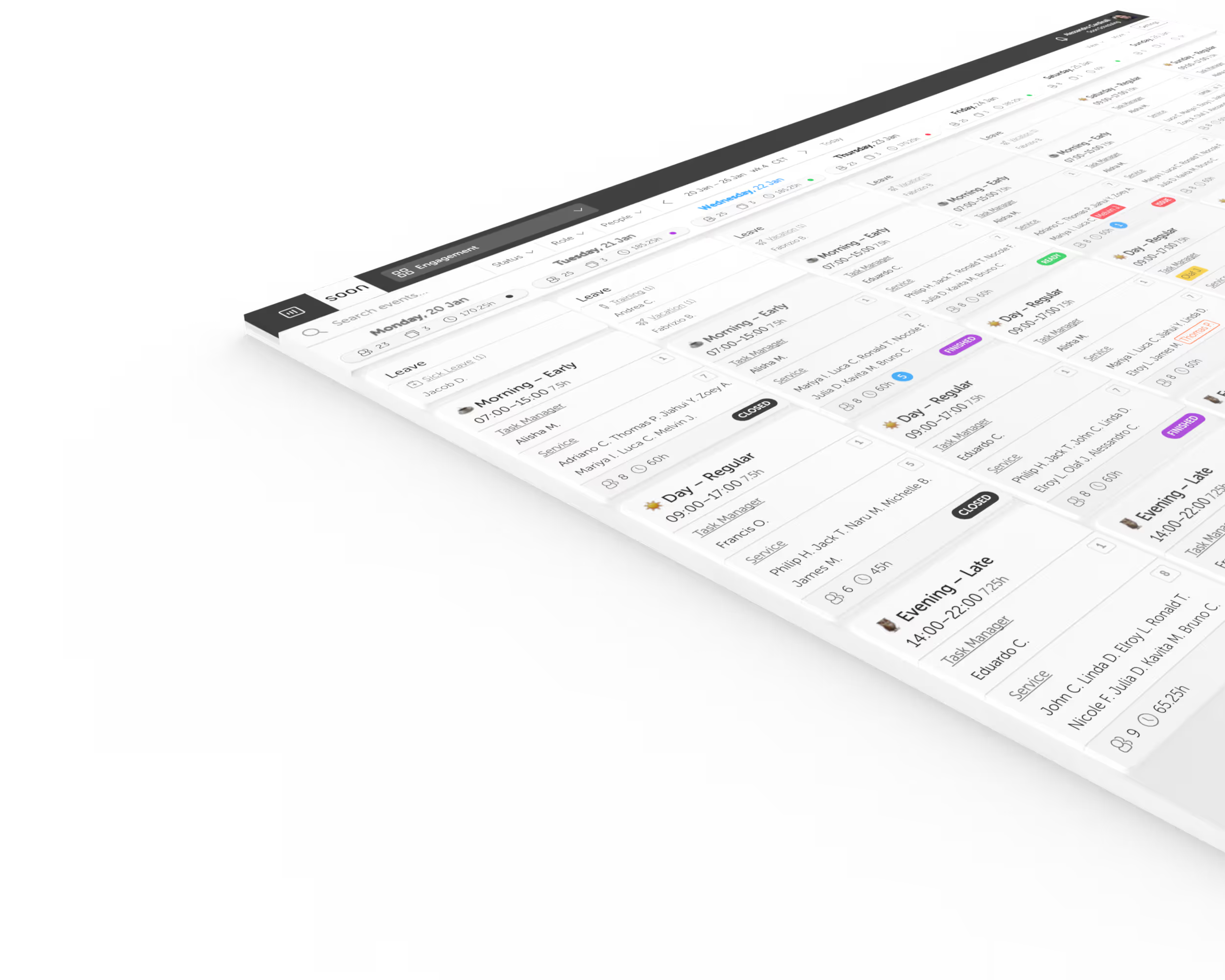
Manufacturing scheduling software for skills, coverage, and continuity.
Plan qualified coverage across lines and shifts, manage rotations and leave, and respond faster when absence, overtime, or demand disrupts production.
Start Free TrialChallenges we solve
Every station cannot be covered by every person
Lines, machines, and safety-critical tasks require the right mix of trained people. Soon helps planners organize shifts around roles, teams, and activities, not names alone.
Rotating patterns need to remain fair and workable
Night shifts, weekends, and recurring rotations can create fatigue or uneven workloads. Soon gives teams a clearer view of the pattern and the changes made around it.
Overtime solves today and weakens tomorrow
Repeated overtime can hide an underlying staffing gap and reduce recovery time. Soon keeps scheduled hours and coverage pressure visible before the same people are called again.
One absence can affect the whole production plan
Replacing a missing operator is harder when the substitute must fit a role, shift, and availability window. Soon brings those planning constraints into one workflow.
Build a production rota around real operating constraints
Start with repeatable shift rotations
Use stable patterns for continuous or multi-shift production while keeping room for leave, training, swaps, shutdowns, and seasonal changes.
Schedule the work and required roles
Represent lines, workstations, teams, and activities so managers can see whether the plan contains the right coverage mix.
Keep availability and leave close to planning
Reduce late rota repairs by accounting for working patterns, time off, and employee changes before schedules are published.
Repair coverage with less manual coordination
Respond faster when absence, demand, maintenance, or a production change affects the shift that was originally planned.
Plan the operation, not just the rota
Continue with practical guides, calculators, and workforce concepts for manufacturing teams.
Guide
Manufacturing shift scheduling
Balance skills, coverage, overtime, rotating patterns, leave, and last-minute changes in one practical workflow.
Glossary
Rotating shifts
Understand how teams cycle through day, evening, and night work and what makes a rotation sustainable.
Glossary
Overtime management
See how teams track, distribute, and reduce excess hours without leaving production uncovered.
Pattern
Continental shift pattern
Review a common four-team continuous rotation with its hours, handovers, nights, and staffing requirements.
Pattern
Dupont shift pattern
Explore a 12-hour rotating schedule built for four crews and continuous coverage.
Product
Auto-scheduling
Use scheduling rules and employee constraints to reduce the repetitive work involved in filling a rota.
Frequently asked questions
What is manufacturing scheduling software?
Manufacturing scheduling software helps plants and production teams assign employees to shifts, roles, lines, and activities while accounting for availability, skills, leave, overtime, and coverage requirements.
Can Soon manage rotating manufacturing shift patterns?
Yes. Teams can use recurring rotations as the base schedule and manage the practical changes around them, including leave, swaps, overtime, and temporary coverage.
Can the schedule show different production roles or workstations?
Yes. Roles, groups, activities, and schedule structure can represent different parts of the production operation so planners can review the intended coverage mix.
How does Soon help control manufacturing overtime?
Soon gives planners a clearer view of scheduled hours, leave, and coverage gaps before publishing, making repeated reliance on the same employees easier to spot and address.
Can employees request leave or swaps without editing the rota?
Yes. Employees can use controlled self-service workflows while managers retain approval and visibility into the resulting schedule impact.
Comparing scheduling software for Manufacturing?
See how Soon compares with the scheduling tools teams in this industry most often shortlist, including the rows where the other product wins.
Your next schedule could take 2 minutes.
Import your team, set your rules, hit auto-fill. Most teams are live the same day.
Free trial of 14, 30 or 60 days by plan · No credit card required
Already have an account?Sign in