Auto-fill shifts and optimize the work inside them
Soon helps planners solve two hard problems: who should work each shift, and what each person should do during that shift. Use auto-fill for shift assignment, then use the intraday solver to schedule breaks, tasks, and coverage across the day.
Assign the right people to the right shifts faster
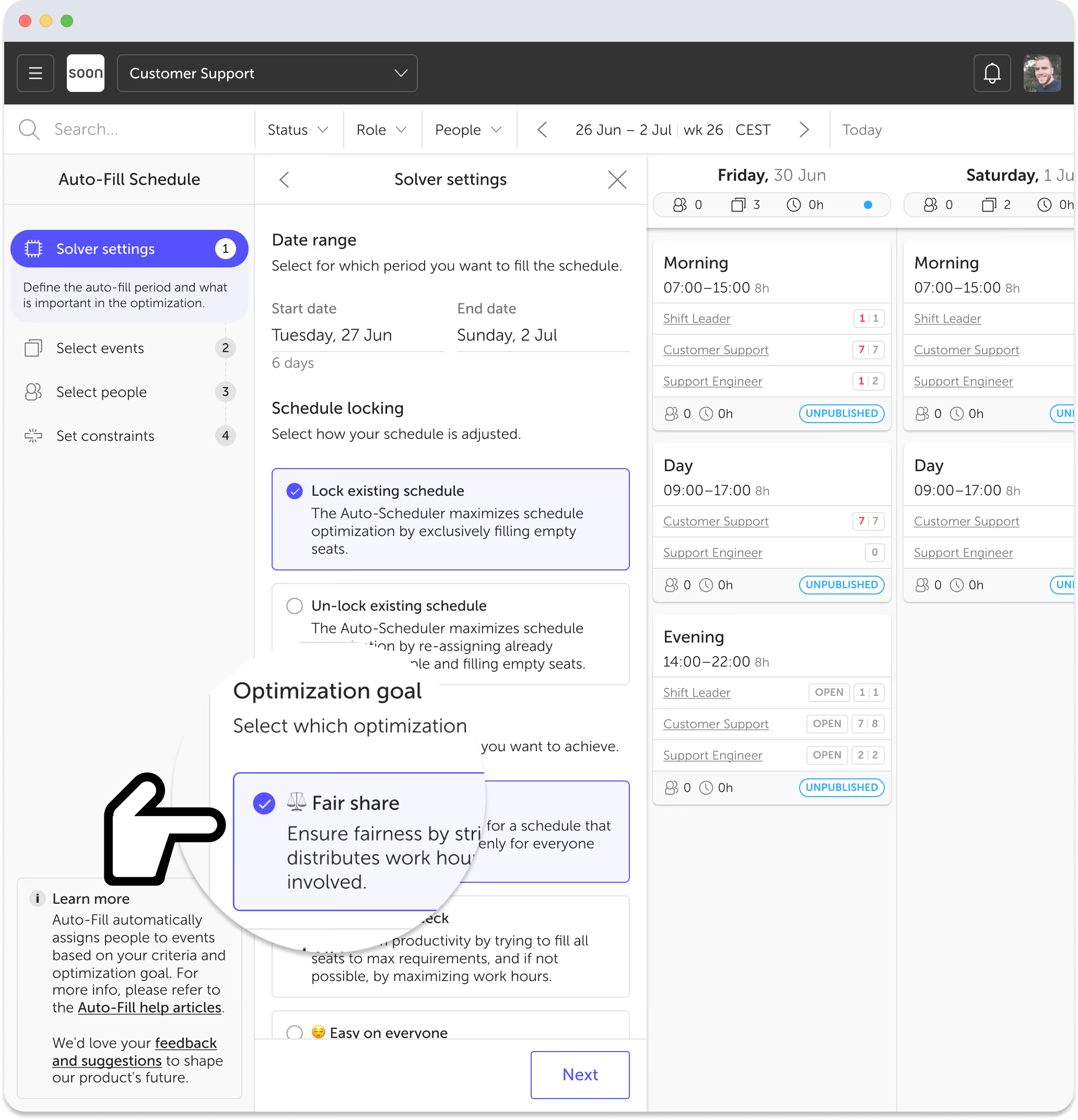
Soon’s auto-fill solver assigns people to shifts based on the rules you set. It can account for role fit, maximum hours, leave, working days, rest time, and other contract-based constraints, so planners spend less time placing people manually.
- Select the shifts and people to include in the run
- Use role matching so people are only assigned where they are qualified
- Apply hard constraints like maximum hours, leave, working days, and minimum rest time
- Choose an objective such as filling as many shifts as possible or balancing hours fairly
Schedule breaks, tasks, and coverage inside the shift
Once shifts are assigned, Soon can optimize the day itself. The intraday solver schedules activities within each shift so teams can manage coverage, breaks, task blocks, and changing demand without juggling spreadsheets or separate tools.
- Set time windows, durations, and staffing requirements for each activity
- Control concurrency, gaps, and consecutive time on task
- Match activities to the right people with user filters and priority rules
- Use demand patterns to schedule the day around real workload
Fill the shifts. Then shape the day.
Most tools stop at shift assignment. Soon goes further by helping planners decide not just who works, but what happens during those working hours.
That means fewer manual decisions, better coverage, and a clearer view of tradeoffs across the whole schedule, from weekly staffing down to the flow of the day.
Less manual scheduling
Auto-fill handles repetitive shift assignment so planners can stop dragging people into place one by one.
Better coverage through the day
The intraday solver helps teams plan breaks, tasks, and availability inside each shift, not just at the roster level.
One system, two layers
Soon combines shift auto-fill and activity scheduling in one workflow, so planners do not need one tool for the roster and another for the day.
Choose what the solver should optimize for
Different teams need different outcomes. Soon lets planners set the goal first, whether that means maximizing filled shifts, balancing hours more fairly, or keeping the right coverage across the day.
Coverage
Fill more of the schedule
A strong fit when the main goal is assigning as many shifts or activity requirements as possible.
Fairness
Balance hours more evenly
A strong fit when contracted hours, workload balance, or team fairness matter most.
Compliance
Respect hard rules
A strong fit when maximum hours, leave, working days, role fit, and rest rules must be enforced.
Intraday
Optimize the day itself
A strong fit when the challenge is not just staffing shifts, but planning breaks, tasks, and activity coverage inside them.
Real value for teams doing complex scheduling
“Our team has been using Soon's auto-scheduler for months now, and it has been a game-changer. It has saved us countless hours of manual scheduling work.”
Keith De Saram
Workforce Planner, Beernami
Why it matters
From roster planning to daily execution
Soon is built for teams that need more than a weekly shift plan. Auto-fill helps create the schedule faster, and the intraday solver helps run the day with better visibility and control.
Frequently asked questions
What is the difference between auto-fill and the intraday solver?
Auto-fill assigns people to shifts based on rules like roles, hours, leave, and rest time. The intraday solver works inside those assigned shifts to schedule activities such as breaks, task blocks, and coverage throughout the day.
What rules can auto-fill consider?
Common rules include role matching, maximum hours, leave, working days, minimum rest time between shifts, and other contract-based constraints. Teams can also choose whether the goal is maximum coverage or a fairer balance of hours.
What can the intraday solver optimize?
It can optimize activity timing and coverage using constraints like durations, time windows, staffing requirements, concurrency limits, minimum gaps, consecutive time on task, and activity priority.
Can I still adjust the result manually?
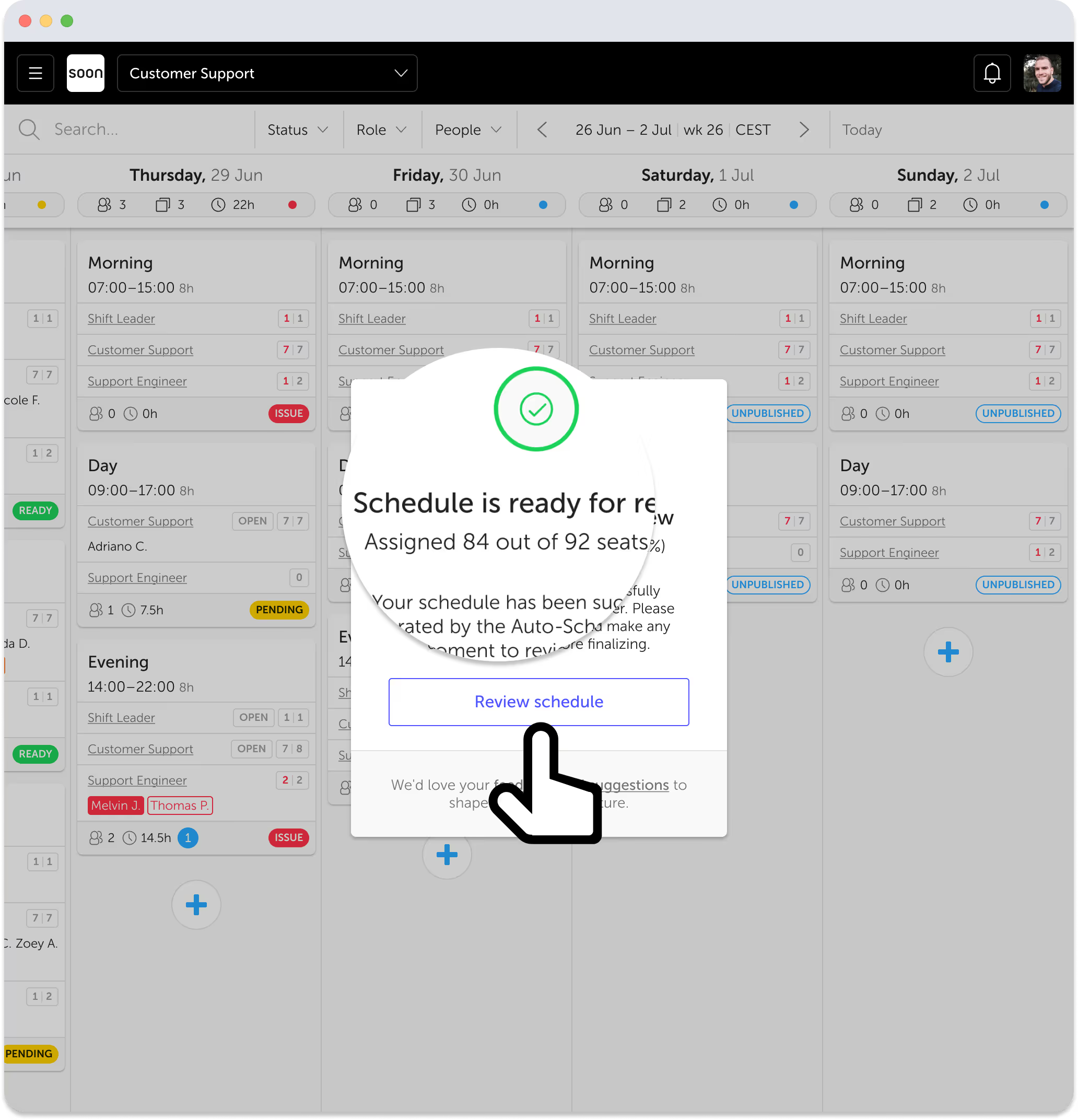
Yes. Soon is built so planners stay in control. You can review the result, make manual changes, rerun the solver with different rules, and save when the schedule is ready.
Do I need both features to use Soon?
No. Some teams only need shift auto-fill. Others need both shift assignment and intraday activity scheduling. Soon supports both layers, depending on how your operation works.
Your next schedule could take 2 minutes.
Import your team, set your rules, hit auto-fill. Most teams are live the same day.
30 days free · No credit card required
Already have an account? Sign in
